Every outbound call a Custom API integration makes is written down before it goes out, whether it succeeds, fails or never gets picked up. The Deliveries tab is that log: what was sent, what came back, what went wrong, and the one button that sends it again. This is the screen to open when a customer says their service never appeared.
Where it is #
Deliveries is the last tab of the integration editor. The older address /admin/custom-apis/{id}/deliveries still works and forwards onto the tab, carrying any filters with it, so old bookmarks and links from elsewhere in the admin still land correctly.
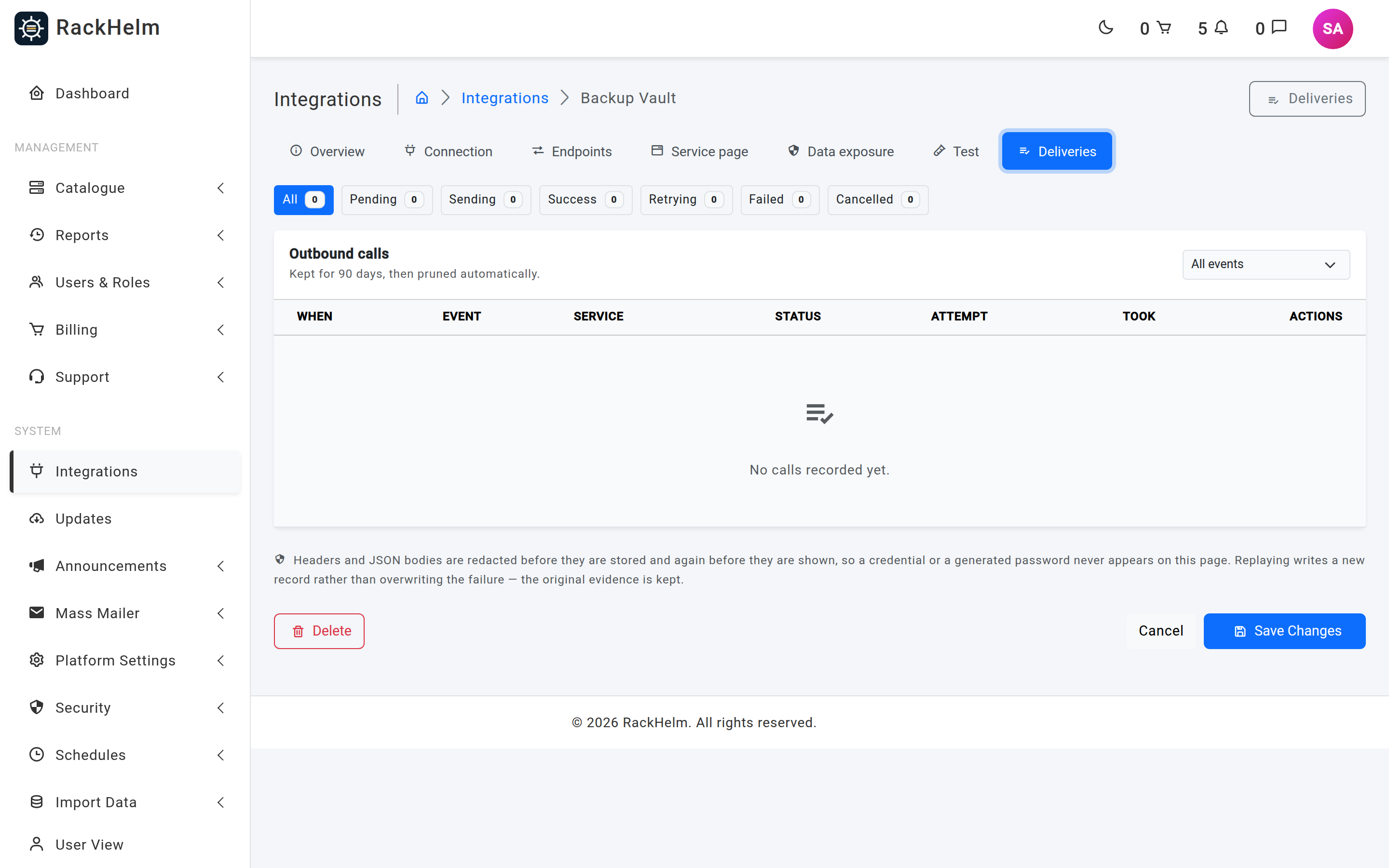
Reading the log #
The chips across the top filter by status and show how many rows each holds. The dropdown on the card header filters by event. Both survive a page turn, and paginating brings you back to this tab rather than dumping you on Overview. Thirty rows are shown per page.
| Column | What it tells you |
|---|---|
| When | When the row was created — that is, when the call was queued, not when it completed. |
| Event | The lifecycle event, plus the action key for an action. |
| Service | The order and product, linking through to the package. |
| Status | The delivery status, with the response class underneath (2xx, 4xx…). The exact upstream code is not shown here. |
| Attempt | How many times this particular record has been sent. |
| Took | Round-trip time in milliseconds. |
The statuses #
| Status | Meaning |
|---|---|
pending |
Queued, nothing has picked it up yet. |
sending |
In flight right now. A row stuck here for more than 15 minutes is treated as a worker that died, and may be claimed again. |
success |
The far end accepted the call, by your endpoint’s own success rules. |
failed |
The call was made and not accepted, or could not be made at all. Terminal. |
cancelled |
Abandoned before sending — the integration was switched off, the product no longer points at it, or no active endpoint exists for the event any more. |
retrying |
Part of the status vocabulary, but nothing in RackHelm sets it today: this feature schedules no retries of its own. See below. |
The details panel #
Select Details on a row to open the request and response side by side:
- Request — method, full URL, headers and body, all redacted.
- Response — the stored reply body, again redacted.
- Error — the failure reason, when there is one.
- Unresolved tokens — tokens the template asked for and could not fill. The call went out with those gaps, so this is usually the answer when a provider complains about a missing field.
- Reference — the idempotency key, matching the
X-RackHelm-Idempotency-Keyheader the far end received, plus who fired the call (a staff name, or “fired automatically”).
Note: Bodies and headers are masked twice — once by the sender before the row is written, and again before the page renders — so a credential or a generated password never appears on this screen. Bodies are also capped: a reply above the integration’s Max response stored is refused rather than truncated and mis-read, and stored bodies are capped at 64 KB regardless.
The retry model #
This is the part that most often surprises people, so it is worth stating plainly.
A Custom API integration has no retry ladder of its own. There is no sweeper and no backoff schedule inside this feature. Each delivery row is a record of one occurrence of one event, and once it has been attempted it is terminal — it will never change again on its own. Retries live on the delivery row and nowhere else.
Where a retry does happen, it comes from the same machinery as every other integration:
| Event | How it retries |
|---|---|
provision |
Runs inside the standard provisioning pipeline. A failure marks the order item as failed, and the pending-provisioning scanner, the Force Provision button on the package, or Retry Failed Provisioning on the Pending Provisioning screen drives the next attempt. |
suspend, unsuspend, terminate |
Owned by the suspend/terminate jobs, exactly as for a control-panel driver. |
| Everything else | One attempt, recorded. You re-fire it from this screen. |
Warning: A Custom API delivery failure is recorded on the delivery row and never written to the service’s provisioning status. That is a safety property, not an oversight: if a failed terminate call reset the provisioning status back to pending, the scanner would re-claim the item and provision it again — resurrecting a service the customer had already cancelled, and re-billing it. Judge Custom API health from this log, not from the provisioning column.
Replaying a call #
The circular-arrow button on a finished row sends the same event again.
- Open Details first and read the error — replaying a call that failed for a configuration reason will simply fail again.
- Fix the cause: the endpoint template, the credentials, the allowlist, or something at the provider.
- Select the replay button and confirm.
What happens next:
- The event is resolved against the integration as it is now, so your fix is used.
- A new delivery record is created rather than the old one being overwritten — the failure stays on screen as evidence.
- The call is queued, so the new row appears as soon as a worker picks it up.
Replay refuses, with a message, when:
| Message | Why |
|---|---|
| “That integration has been deleted…” | The integration is soft-deleted. Its history is kept, but nothing can be sent from it. |
| “This integration is switched off…” | Active is off on the Overview tab. |
| “This call has not finished yet…” | The row is still pending or sending. Replaying would send the same call twice. |
| “There is no active endpoint for that event any more…” | The endpoint was deleted or switched off since the failure. |
| “This record has no service or event to rebuild the call from…” | An incomplete row, typically from a much older build. |
“Calls are queued but not going out” #
If the oldest pending row has been waiting more than five minutes, a warning banner appears at the top of the tab. That almost always means nothing is draining the queue — check that the queue worker is running. Until it is, provisioning across the whole portal will look silently stuck rather than broken.
Retention #
This table gains a row per lifecycle event per service and stores whole request and response bodies, so it is pruned. The default window is 90 days, controlled by the custom_api_delivery_retention_days setting, and the card header on this tab always shows the window currently in force. Pruning runs from the scheduler daily at 03:40. A value of zero or below is ignored and the 90-day default is used instead, so a stray zero cannot wipe the audit trail.
Tip: These request and response pairs are the only forensic record of what was sent to a third party on a customer’s behalf. If you operate under a regime that requires longer retention, raise the setting deliberately and plan for the table size.
Troubleshooting #
| Symptom | Cause and fix |
|---|---|
| No delivery rows at all for an order | The product is not attached to this integration, or the event has no endpoint. Check the product’s integration setting and the Endpoints tab. |
Rows sit on pending |
The queue worker is not running. |
A row is cancelled |
The integration was off, the endpoint was removed, or the product no longer points at the integration when the event fired. |
| Failure reads “Response exceeded the N KB limit…” | Raise Max response stored on the Connection tab, or ask the provider for a leaner reply. The body was not decoded, so nothing was captured from it. |
| Failure mentions an invalid or unsafe URL | The rendered path resolved to a private or unroutable address, or a token blew the URL apart. Preview the endpoint on the Test tab. |
| Failure mentions no token, username or value stored | The auth type expects a credential the integration does not have. Retype it on the Connection tab. |
The provider says they never received the call, but the row is success |
Give them the value from Reference and the X-RackHelm-Delivery id from the details panel; those are the two identifiers that appear in their logs. |
| A replay appears to do nothing | It is queued, not synchronous. A new row appears when the worker picks it up — refresh the tab. |
| Old rows have disappeared | They were pruned. Check the retention window shown on the card header. |


