Every domain you buy through the portal has a management page where you can point it at different nameservers, edit DNS records, lock it against unauthorised transfers, get the code you need to move it elsewhere, and stop it renewing. This article is for customers. If you have also bought an SSL certificate, see Configuring and downloading your SSL certificate.
Finding your domains #
Open Domains in the client area (/domains). The list shows every domain on your account with its registration date, next due date and status. Press Manage on a domain to open it.
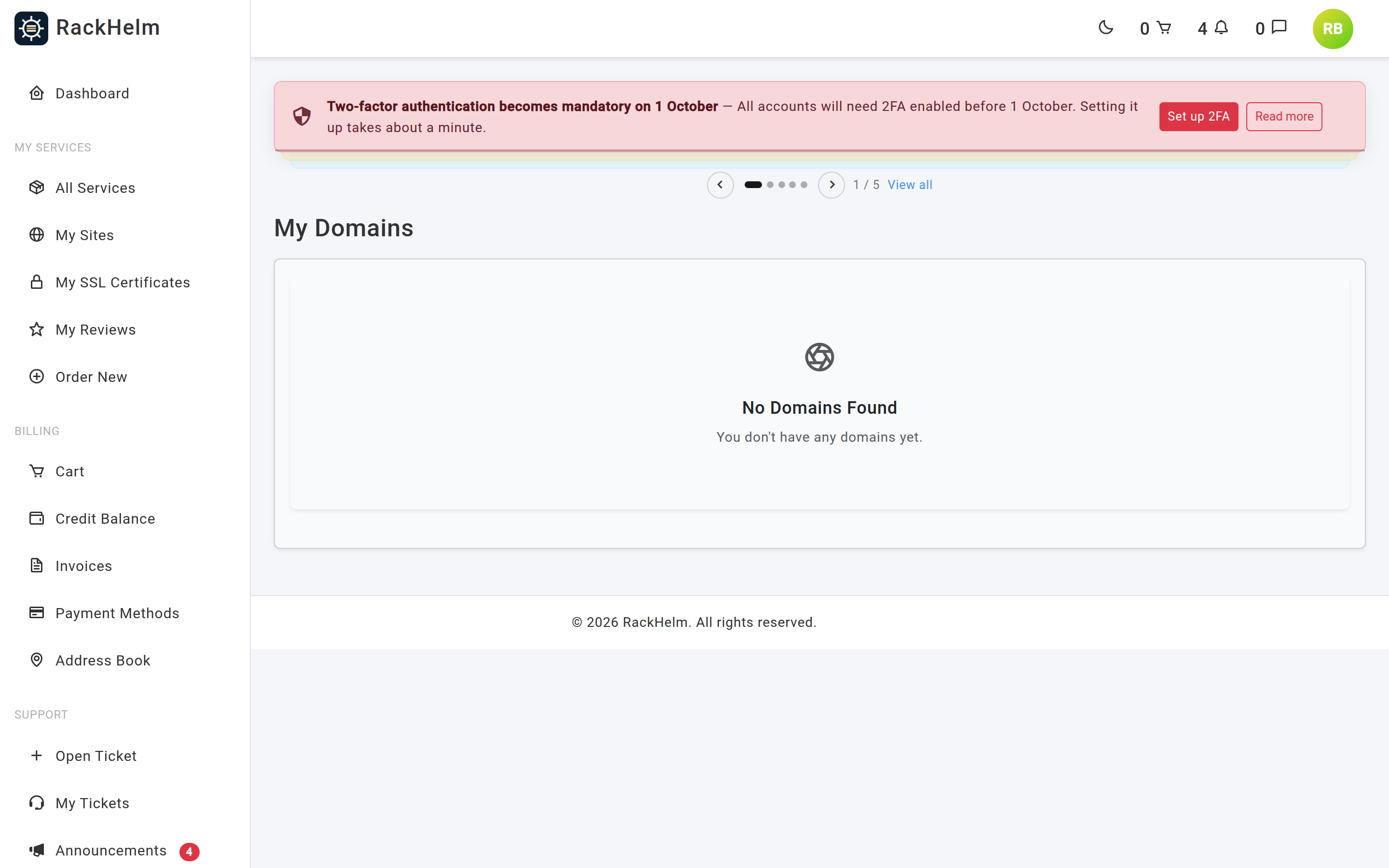
Note: A domain only becomes manageable once it is registered and active. Newly ordered names, and transfers still in progress at the registry, cannot be opened yet.
The management page #
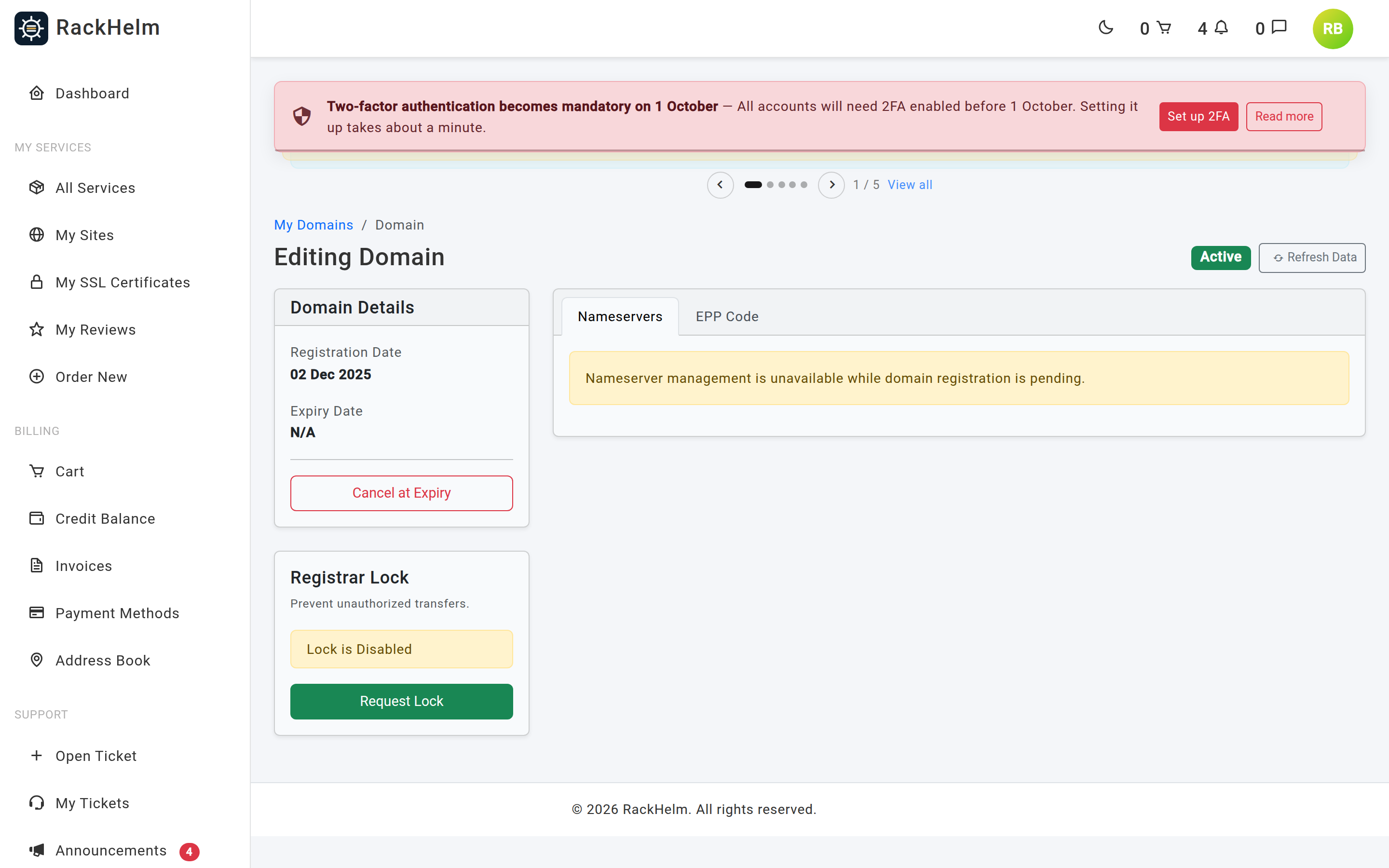
Down the left are the registration and expiry dates, the registrar lock, and the option to cancel at expiry. The main panel has up to three tabs: Nameservers, DNS Records and EPP Code.
Live data is cached #
Expiry, lock state, nameservers and DNS records are read from the registrar and held for 15 minutes so the page loads quickly. If you have just changed something elsewhere, press Refresh Data to clear that cache and read the registrar again.
Changing nameservers #
Nameservers decide which DNS service answers for your domain — usually your web host’s.
- Open the Nameservers tab.
- Replace the addresses, using Add Nameserver for more rows and the bin icon to remove one.
- Press Update Nameservers.
You need at least two. The page will not add more than five rows, which is the limit at most registrars. Each entry must be a syntactically valid hostname such as ns1.example.com — a trailing dot is rejected.
Reset to Defaults puts the domain back on eNom’s own nameservers (dns1 through dns5 at name-services.com). That disrupts any custom DNS routing, so you are asked to confirm.
Warning: Nameserver changes take 24 to 48 hours to propagate worldwide. Your website and email may be intermittently unreachable during that window. Set up the destination DNS before you change nameservers, not after.
The change is queued rather than applied while you wait, so the page returns immediately. Allow a minute, then refresh.
Editing DNS records #
The DNS Records tab is only shown when your domain is on the registrar’s own nameservers. If you have pointed it at your host’s nameservers, DNS is managed there instead and the tab is hidden.
- Open the DNS Records tab.
- Edit the rows, or press Add Record for a new one. Use
@in Host Name for the root domain andwwwfor a subdomain. - Choose a Record Type: A (address), AAAA (IPv6), CNAME (alias), MX (mail), TXT (text) or SRV (service).
- Put the destination in Address / Value.
- Press Queue DNS Update.
Up to 200 records are accepted in one save. Where a record carries a TTL it must be between 60 seconds and 7 days, and an MX or SRV priority must be between 0 and 65535. Like nameservers, the update runs in the background.
The registrar lock #
The registrar lock stops your domain being transferred away without your involvement. The sidebar shows whether it is on and offers Request Lock or Request Unlock. Leave it on unless you are actively transferring the domain elsewhere; the change is queued and takes a moment to show.
Transferring your domain away #
To move a domain to another provider you normally need its EPP code (also called an auth code or transfer key). Open the EPP Code tab to get it. If the domain is still locked you are prompted to unlock it first.
Two registrars behave differently:
- Some send the code by email to the registrant contact rather than showing it on screen. The tab tells you when that has happened — check the mailbox on the domain’s registrant contact.
- .uk domains have no EPP code at all. A .uk transfer is done by changing the domain’s IPS TAG to the new registrar’s. Raise a support ticket telling us the gaining registrar’s TAG and we will action it.
Renewals and cancelling #
Domains renew through your normal invoices: an invoice is raised before the expiry date and, once it is paid, the domain is extended at the registrar. Keeping that invoice paid is what keeps the domain.
To stop a domain renewing, press Cancel at Expiry in the sidebar. You will be asked to confirm your password, because the request cannot be undone by simply pressing the button again. The domain keeps working until its expiry date and then lapses; the sidebar changes to Cancellation Requested.
Troubleshooting #
| Symptom | What to do |
|---|---|
| The domain does not appear under Domains | It is still being registered, or the order is not yet paid. Check Orders; if it has been more than a few hours, raise a ticket. |
| “Nameserver management is unavailable while domain registration is pending.” | The registrar has not confirmed the registration yet. Press Refresh Data later. |
| Expiry shows “Unknown” or “N/A” | The registrar could not be reached for live data. Press Refresh Data; if it persists, raise a ticket. |
| “You can only have a maximum of 5 nameservers.” | Five is the registrar’s limit. Remove a row before adding another. |
| Nameserver form will not submit | You need at least two entries and each must be a syntactically valid hostname, with no trailing dot. |
| No DNS Records tab | Your domain uses someone else’s nameservers, so DNS is managed with that provider. |
| Change saved but nothing has happened | Nameserver, DNS and lock changes are queued. Wait a minute, then press Refresh Data. |
| EPP Code shows “Hidden for security” | No code was returned. Unlock the domain first and reload; for .uk there is no code at all. |
| Website went down after a nameserver change | Propagation, or DNS records not yet created at the new provider. Set up the records at the destination, then wait out the 24–48 hour window. |


