Before you can sell a domain you need a product for each TLD, with a price for each term you want to offer. Creating a hundred of those by hand is not practical, so RackHelm can pull your whole eNom reseller price list and build the products, integrations and billing-cycle prices in one pass. This article is for operators.
Before you start #
- The
edit_integrationspermission. - A working eNom panel — see Selling domains through eNom. The importer reads pricing with your reseller credentials, so if Test API on the eNom panel does not return OK, the import will not either.
- A decision about which product group the TLD products should live in.
Note: The bulk price importer exists only for eNom. For the other five registrars, create the TLD products manually under Catalogue → Catalogue & Groups and set their prices on the product’s Pricing tab.
Run the import #
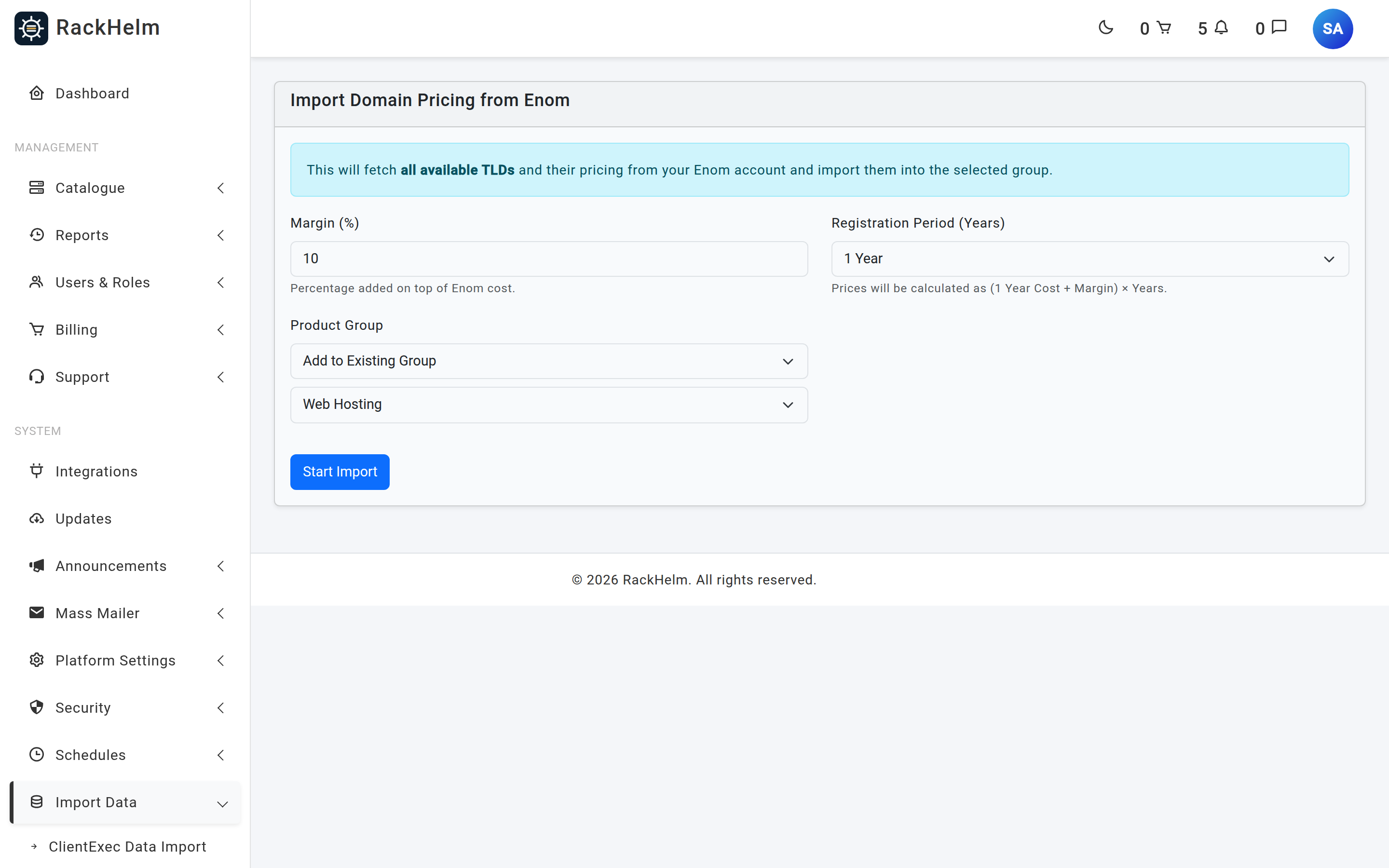
- Open Import Data → TLD Importer in the admin sidebar, or go straight to
/admin/panels/import/prices. - Set Margin (%). This is added on top of your eNom cost — the default is
10. - Choose a Registration Period (Years): 1, 2, 3, 5 or 10. This is not “the term you sell”, it is “how many terms to create” — the importer builds a price row for every year from 1 up to the number you pick.
- Under Product Group, either add to an existing group or choose Create New Group and give it a name.
- Press Start Import.
What the importer actually creates #
For every TLD eNom returns, the importer does four things:
- A product named after the TLD with a leading dot —
.com,.co.uk— in the chosen group. Existing products with the same name in that group are reused, not duplicated. - A product integration of type
enom, bound to your eNom panel, marked active, with the TLD recorded in its config. This is what makes the product a domain product. - Billing cycles for each term: 12 months labelled Annually, 24 Biennially, 36 Triennially, and anything longer as “N Years”. Cycles are matched on their month count, so existing ones are reused.
- A price row per product and cycle, carrying three separate figures.
How each price is calculated #
| Price | Formula |
|---|---|
| Registration | (cost + margin) × years |
| Renewal | (renewal cost + margin) × years |
| Transfer | one year of transfer cost + margin, plus (years − 1) years of renewal price — because a multi-year transfer is one transfer plus renewals |
| Setup | Always 0 |
Warning: Imported price rows are written with a currency of
USD, because that is what eNom quotes. If you sell in pounds, review the prices afterwards — the importer does no currency conversion. It converts nothing and rounds nothing, so figures come out with full decimal precision.
Re-running the import #
The importer is safe to run again: products, cycles, integrations and price rows are all matched and updated rather than duplicated. That makes it the way to push a registrar price change through your catalogue — set the same margin and years, run it, and every existing price row is rewritten from the current eNom cost.
It is equally the way to lose hand-tuned prices. If you have adjusted individual TLD prices by hand, a re-run overwrites them. Note which ones you changed before repeating an import.
After the import #
The importer creates products but does not put them on sale. Before customers can find them:
- Check the group is visible in the store and that the products are active.
- Review prices for the TLDs you actually intend to sell, and deactivate the rest — an eNom price list runs to hundreds of extensions.
- Assign the domain order variables the checkout needs —
DomainName, andEppCodeif you accept transfers — under Configurable Options on the product’s Options & Add-ons tab. - Confirm each product’s Integration Type shows Enom on the product’s Provisioning tab.
Troubleshooting #
| Symptom | Cause and fix |
|---|---|
| “Enom returned no pricing data. Please check API credentials.” | The pricing call came back empty. Test the eNom panel first; the usual cause is the server’s IP not being allowlisted at eNom. |
| “Failed to fetch price list: …” | A transport or API error. The message is passed through from eNom — an IP or credential problem reads as User not permitted from this IP address. |
| Validation error on submit | Margin must be numeric and at least 0; years must be a whole number between 1 and 10; a new group needs a name, an existing one needs a selection. |
| Products created with prices of zero | eNom returned a cost of zero for those TLDs. The price rows are still written; set the prices by hand or deactivate the products. |
| Duplicate TLD products appear | Products are matched on name and group. Importing the same TLDs into a second group creates a second set. Pick one group and stay with it. |
| Prices look wrong for multi-year terms | Multi-year registration is simply the one-year price multiplied. Where a registry prices a longer term differently, adjust that price row by hand afterwards. |


