RackHelm can produce AI-written SEO reports for a customer’s hosted website: a scan of the live site, a short review step where the customer confirms their brand details, and then a generated report they can read in the portal or download as a PDF. Operators watch every scan from the admin area; customers run them from their own site. This article covers both.
Before you start #
Note: Viewing scans in the admin area needs
view_seo_reports; deleting one needs the separatemanage_seo_reportspermission, so a read-only role cannot remove records. Both are held by the built-in Administrator role.
SEO reporting is a licensed integration. Configure it under Integrations → AI SEO Reporting: switch Enable AI SEO Feature on and enter your AI SEO License Key. The SEO tab only appears on a customer’s website dashboard when both are in place. The scan itself also needs the site to have a domain — a website service with no domain recorded returns “Domain not found for this site.”
Settings that control who may scan #
| Field | What it does |
|---|---|
| Enable AI SEO Feature | Master switch for the integration. With it off, the SEO tab is not shown to customers. |
| AI SEO License Key | Authenticates you with the SEO service. Stored write-only — the field shows dots once a key is saved and stays blank on load; leave it blank to keep the current key. |
| Default Paid Scans Allowed | Allowance for customers who hold the AI SEO add-on. -1 means unlimited — the shipped default. 0 means no scans at all. An individual add-on, or a selected add-on option, can override it. |
| Default Paid Reset Period (Days) | Rolling window for the paid allowance. 0 means the allowance is for the lifetime of the service. |
| Enable Freemium Mode | Lets customers who do not hold the AI SEO add-on run a limited number of scans. Off means only add-on holders may scan at all. |
| Free Scans Allowed | How many scans a non-add-on customer gets per site. Ships as 1. A role can override it. |
| Reset Period (Days) | Rolling window for the free allowance; 0 means lifetime. |
| Allow Users to Delete Scans | Lets customers remove their own scan records. Deleting a scan never resets the freemium counter, whatever this is set to. |
| Freemium Paywall Message | The wording shown when a customer runs out of free scans — up to 500 characters. |
| Enable PDF Export | Controls whether a completed report is also rendered as a downloadable PDF. |
Warning:
0and-1are not interchangeable.-1is the “unlimited” sentinel;0denies scanning entirely.
Warning: Every switch on this screen reads as off until the form has been saved at least once, even where the wording suggests otherwise — an unsaved setting has no stored value and is treated as off. Open the screen, set each switch deliberately and save, rather than assuming a default.
What the customer does #
From their website’s dashboard the customer opens the SEO section at /sites/{site}/seo:
- Start an analysis. The scan is created and the site is submitted to the SEO service. Only one analysis per site can be in flight at a time.
- Review the brand details. When the service reports back, the scan moves to a review step where the customer checks the brand information that was extracted from their site and picks a language.
- Generate the report. That confirmation triggers the report itself.
- Read or download it. When the report lands, it is viewable in the portal, and downloadable as a PDF if Enable PDF Export is on.
Scans and allowances belong to the account, not the individual login, so sub-accounts share the primary account’s quota. Failed scans do not burn an allowance; deleted ones do.
The admin view #
Open Reports → SEO Reports. The screen shows counters for total, completed and pending/running scans plus the average run time, with filters for status and for a single customer.
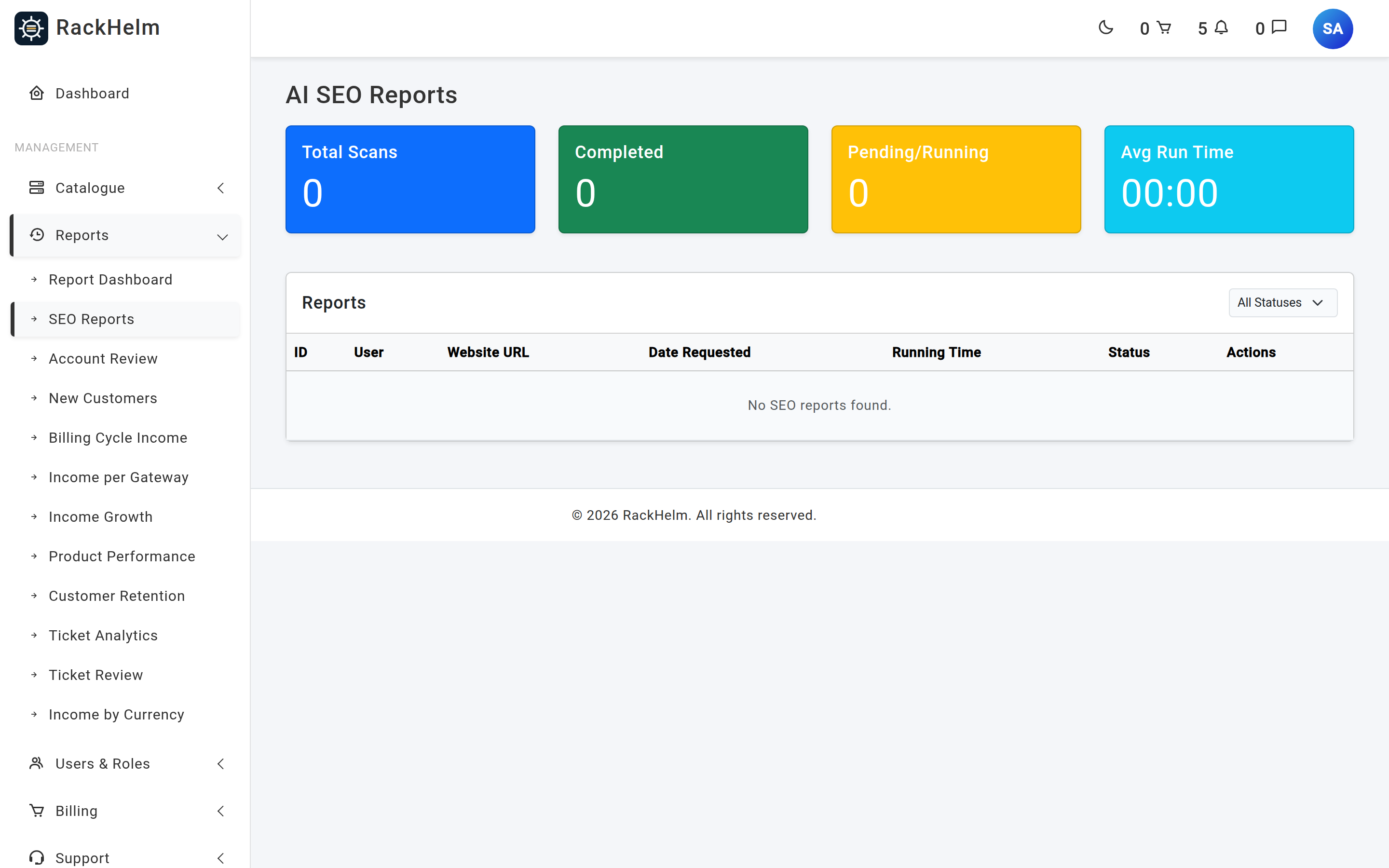
Select a row to read the stored report and the brand details captured for it. Deleting a scan from here is permanent from the operator’s point of view and requires manage_seo_reports.
A per-customer view of the same data is available on the client record, under Clients → (customer) → SEO Reports.
Scan states #
| State | Meaning |
|---|---|
| Pending analysis | Submitted to the SEO service; waiting for it to call back. |
| Waiting user confirmation | The analysis returned. The customer must review the brand details before a report can be produced. |
| Generating report | Report generation has been requested and is running. |
| Completed | The report is stored and readable. |
| Failed | The service rejected the request or reported an error. Does not count against the allowance. |
Results arrive by webhook. Each callback URL is signed and expires 24 hours after it is issued, and the review step is issued a fresh signature of its own rather than reusing the first one.
Troubleshooting #
| Symptom | Cause and fix |
|---|---|
| “AI SEO is not enabled for this package” | Freemium is off and the customer does not hold the AI SEO add-on. |
| The customer sees the free-scan limit message | They have used their allowance for that site. Raise Free Scans Allowed, set a reset window, or sell them the add-on. |
| “Domain not found for this site” | The service has no domain recorded in its variables or provisioning metadata. Fix the service’s domain first. |
| “An analysis is already in progress for this domain” | One scan per site at a time. Wait for it to complete or fail. |
| A scan sits at pending for a long time | The callback never arrived. Check that your portal URL is reachable from the internet and that the signed webhook has not passed its 24-hour window; the customer can start a fresh scan. |
| “Report is not ready yet” | The report is still generating, or the scan failed. Check the scan’s status in the admin list. |
| “PDF is not available or still generating” | No PDF file is stored for that scan yet, or Enable PDF Export is off in the integration settings. |
| Setting the paid allowance to 0 gave unlimited scans | Older installs treated 0 as unlimited. Use -1 for unlimited and 0 to deny. |
| A sub-account cannot get a fresh allowance | Correct — quotas are counted per account, not per login. |
| The Pending/Running counter and the Pending status filter always show nothing | They look for a scan whose status is literally pending, which is never written. In-flight scans are stored as pending_analysis, waiting_user_confirmation or generating_report. Read the Status column in the table instead. |


