RackHelm resells SSL certificates through eNom. A certificate is an ordinary product in your catalogue, but it does not provision in one shot like a hosting account — it is bought, then configured by the customer, then validated by the certificate authority, then issued minutes or days later. This article explains how to set that up and what happens afterwards. It is for operators.
Before you start #
- A working eNom panel. SSL reuses the same eNom reseller credentials — there is no separate SSL panel and no separate key. See Selling domains through eNom.
- SSL products enabled on your eNom reseller account.
- The
edit_productspermission to build the product,edit_integrationsto configure eNom.
Warning: The eNom SSL driver has not been verified against a live eNom account. The exact certificate command parameter names, the numeric product ids, the validation-method tokens and the status strings eNom returns all vary by account and product, and are flagged in the code as needing confirmation against a real sandbox. Place one order end to end before you sell certificates.
Note: eNom is the only SSL provider. NameSilo’s public API has no certificate operations, so NameSilo SSL cannot be automated and is deliberately not offered.
Create an SSL product #
- Go to Catalogue → Catalogue & Groups → New Product and create the product as usual — name, group, description, pricing.
- Open the product’s Provisioning tab.
- Set Integration Type to Enom SSL and leave Enable Provisioning on.
- Pick the certificate from the SSL Product dropdown. That list is pulled live from your eNom account, showing each product’s description and reseller price.
- Save.
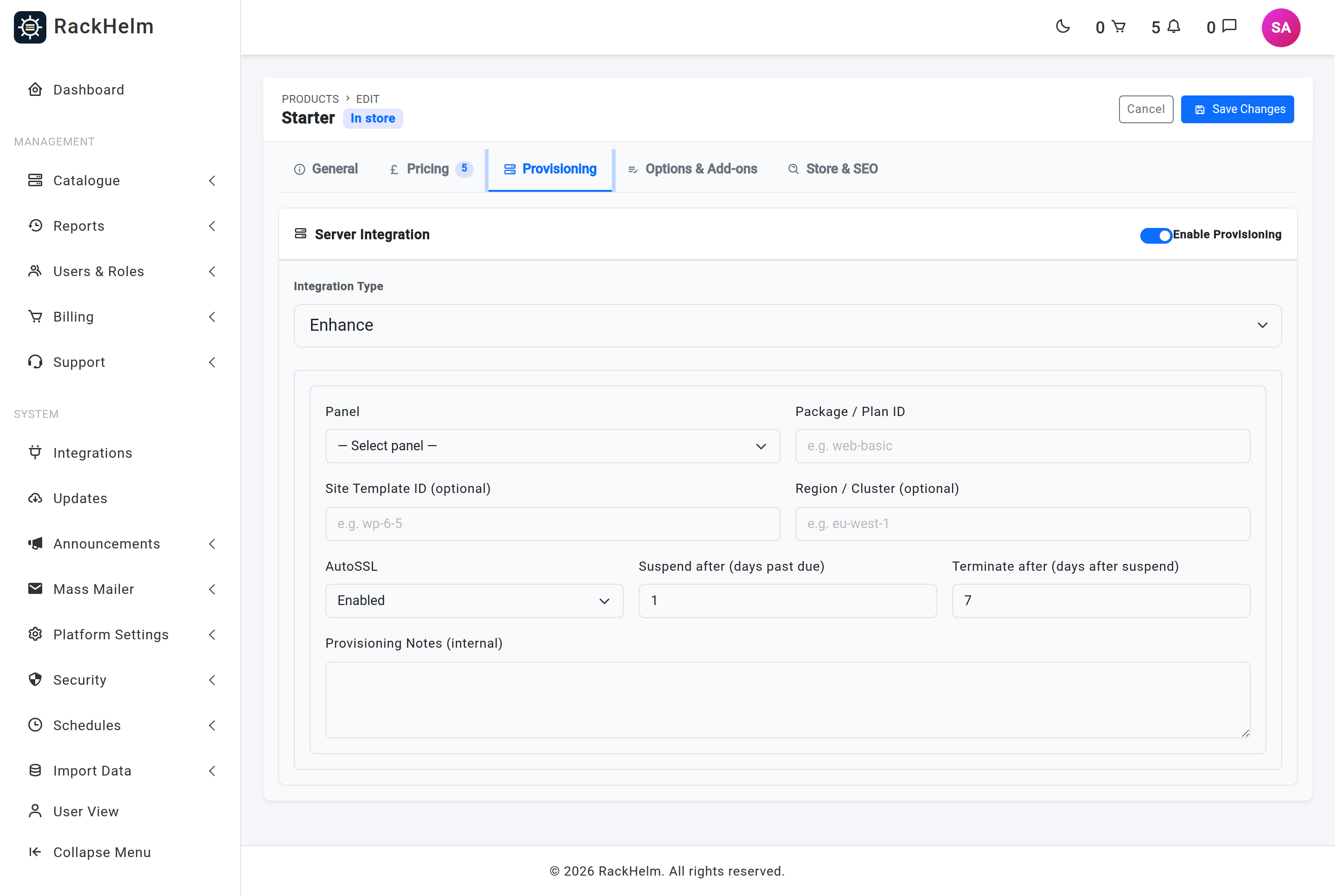
The Enom SSL option only appears when an eNom panel is active, because it borrows those credentials. The catalogue is cached for six hours; if you enable a new certificate product at eNom it can take that long to appear.
What is derived, not configured #
You do not set the certificate type, wildcard flag or term. They are intrinsic to the eNom product you chose and are derived from its description when the customer buys:
- A description containing “wildcard” marks the certificate as a wildcard.
- “EV” or “extended” gives type
ev; “OV”, “organization”, “business” or “truebiz” givesov; anything else isdv. - The term is always 1 year, which is the industry maximum.
That classification reads the description RackHelm stored for the eNom product when you picked it, so pick the certificate whose eNom description matches what you intend to sell.
The lifecycle #
SSL certificates run through the same provisioning pipeline as everything else. What differs is that ProvisionOrderItem takes an SSL branch and drives one step per scan tick rather than doing the whole job in a single run.
- Purchase. When the order is placed the item is created with a provisioning status of
awaiting_configuration— deliberately notpending, so the scanner cannot pick it up before a CSR exists. A certificate record is created alongside it atpending_configuration. - Configure. The customer opens the configure wizard, pastes a CSR, picks a validation method and a contact. The certificate moves to
submittedand the item topending. - Submit. The next scan dispatches the job. It buys the certificate order at eNom (once — a reissue keeps the existing id), records the provider’s certificate id, then sends the CSR and the chosen validation method. The certificate moves to
awaiting_validationand the item is re-armed aspending. - Validate. The customer proves domain control: approving an email, publishing a CNAME, or serving a file.
- Poll. Every scan tick the job asks eNom whether the certificate has issued. The attempt counter is reset on each in-flight tick so a long validation window does not inflate it.
- Issue. On issuance the leaf certificate and CA bundle are stored, the expiry is copied to the order item, the item is marked
provisionedand the customer is notified.
If eNom reports the order rejected, cancelled or failed, the item is marked failed with the reseller’s own status recorded against it. If the submit step fails, the item drops back to awaiting_configuration so the customer can correct their CSR and try again.
Certificate statuses #
| Status | Meaning |
|---|---|
pending_configuration |
Bought, waiting for the customer’s CSR. Configurable. |
submitted |
Configured, not yet at the certificate authority. |
awaiting_validation |
At the CA, waiting for the customer to prove domain control. |
awaiting_issuance |
Validation done, CA is issuing. |
issued |
Certificate and chain stored and downloadable. |
reissue_pending |
A reissue with a new CSR is in flight. |
failed |
Submission failed. Configurable again, so the customer can retry. |
rejected / cancelled / expired |
Terminal. The order item is marked failed. |
Private keys are never involved #
The customer generates the key and CSR on their own server and pastes only the CSR. There is no private-key column on the certificate record and there never should be. The portal actively refuses a paste containing a BEGIN PRIVATE KEY block, and the stored CSR, certificate and CA bundle are excluded from normal serialisation so they cannot leak through an API response.
What the customer does #
Everything after purchase happens in the client area under SSL Certificates. See Configuring and downloading your SSL certificate for the customer-side walkthrough — the configure wizard, the three validation methods, reissuing and downloading.
Troubleshooting #
| Symptom | Cause and fix |
|---|---|
| The Enom SSL integration type is not offered | No active eNom panel. SSL reuses those credentials — configure and activate eNom first. |
| “Could not load the eNom SSL product list.” | The catalogue call failed — usually credentials or IP allowlisting. Test the eNom panel; the list is cached for six hours once it succeeds. |
Opening /admin/panels/enom_ssl redirects to Products |
Intentional. SSL is configured on a product, not as a panel, and the redirect message says so. |
| “This SSL product has no eNom CertProductType (SKU) configured.” | The product’s SSL Product dropdown was never chosen. Edit the product and select one. |
| Item stuck at “Awaiting configuration” | Working as designed — the customer has not run the configure wizard. Point them at SSL Certificates in the client area. |
| Item cycles at “pending” for days | The certificate is awaiting domain validation. Check its status page for the outstanding step; the poller keeps checking without failing the item. |
| Certificate marked failed straight after configuring | eNom rejected the submission. The reason is stored on the certificate and shown to the customer, who can correct the CSR and resubmit. |
| Statuses look wrong or issuance is never detected | This is the part flagged as unverified: eNom’s status strings differ per account and product. Compare a real order’s status against the mapping before going live. |
| Nothing progresses at all | The provisioning scanner drives every SSL step. Confirm the scan schedule is enabled and queue workers are running. |


