ISPmanager is the fifth panel in RackHelm’s shared control-panel family. The connection form, the storage rules and the product fields are identical to cPanel, Plesk, DirectAdmin and CyberPanel; only the default port and the field labels differ. This article covers the setup and the current state of the driver.
Before you start #
- The
edit_integrationspermission. See Roles & Permissions. - An ISPmanager server reachable from RackHelm over the public internet with a certificate that validates. ISPmanager normally listens on port 1500.
- An administrator account and an API key or session token with rights to create, suspend and delete users.
Add the connection #
- Open System → Integrations and press Configure on the ISPmanager card.
- Set Base URL to the panel origin including the port, for example
https://ispmanager.example.com:1500. - Paste the credential into API Key / Token.
- Press Save.
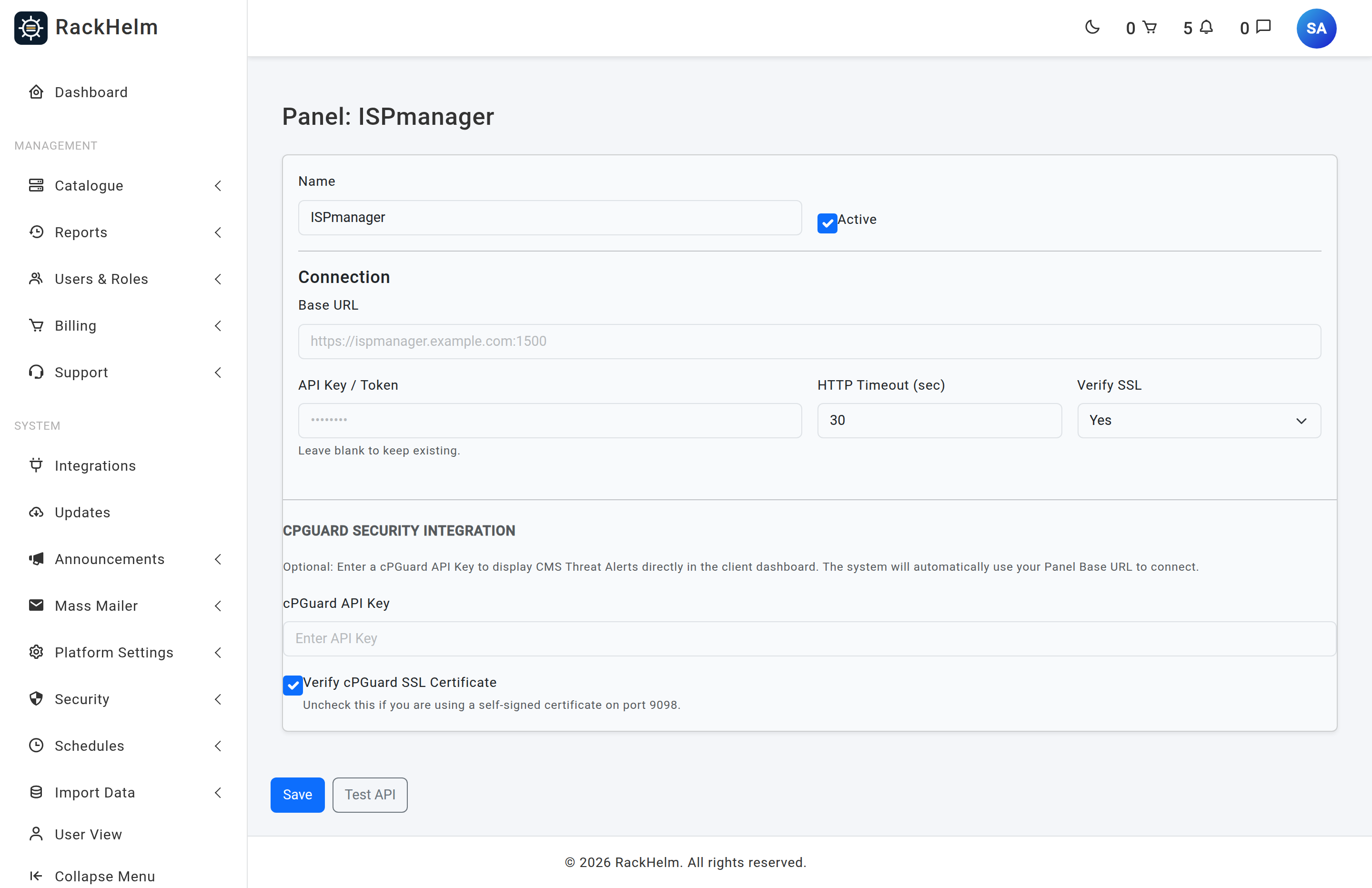
Fields #
| Field | Rule | Notes |
|---|---|---|
| Name | Optional, max 120 characters | Defaults to “ISPmanager”. |
| Active | Checkbox | Required for ISPmanager to appear as an Integration Type. |
| Base URL | Required, http/https, publicly resolvable | Placeholder https://ispmanager.example.com:1500. |
| API Key / Token | Optional on edit | Blank keeps the stored value. Stored encrypted. |
| HTTP Timeout (sec) | Integer, minimum 1 (form minimum 5) | Applies to the Test API button. |
| Verify SSL | Yes / No | Stored but not read by any driver; TLS is always verified. |
| cPGuard API Key | Optional | Relocated into the encrypted credential block on save. |
| Verify cPGuard SSL Certificate | Checkbox, on by default | Untick for a self-signed certificate on port 9098. |
Testing the connection #
Test API sends GET {base_url}/api/v2/server with an X-API-Key header — the Plesk REST shape shared by all five panels in this family. ISPmanager does not serve that path, so a 404 is expected. Use the test to confirm reachability rather than credentials: a timeout means port 1500 is closed to the RackHelm server, and a TLS error means the certificate does not validate for the hostname you entered.
Re-type the credential before testing a saved connection; a blank box sends the literal word KEEP.
Bind a product to ISPmanager #
Edit the product under Catalogue → Catalogue & Groups, open the Provisioning tab and choose ISPmanager. The fields are the shared hosting-panel set: Panel, Package / Plan ID, Site Template ID, Region / Cluster, AutoSSL, Suspend after (days past due) (default 1), Terminate after (days after suspend) (default 7) and Provisioning Notes (internal).
ISPmanager has no required product field, so the product saves with an empty package. Fill it in anyway. Neither of the day counts is read by the suspension or termination schedules — those take their timing from the days option on the scheduled task under System → Schedules.
What the customer sees #
A provisioned ISPmanager item appears under Sites in the client portal. The ISPmanager site driver returns empty results for every query in this build — databases, email accounts, backups, installed applications, metrics and SSL — so the page renders with nothing in it.
Troubleshooting #
| Symptom | Cause and fix |
|---|---|
| Test API returns 404 | Expected — the shared tester requests a Plesk path ISPmanager does not serve. |
| Test API times out | Port 1500 is not reachable from the RackHelm server’s public IP. |
| Certificate error on test | TLS is always verified regardless of the Verify SSL setting. Install a certificate valid for the hostname. |
| Base URL rejected on save | The host resolves to a private, reserved or unresolvable address. See Adding a control panel connection. |
| ISPmanager missing from the Integration Type dropdown | The connection is saved but not marked Active. |


