Support → Ticket Settings holds the desk-wide options: how tickets are numbered, which department the portal files its own tickets in, what your first-response target is, whether tickets auto-assign, whether visitors may open tickets without an account, whether the ticket form asks which package a ticket is about, what may be attached, and the signature appended to every staff reply. This article covers every field on the screen and is for whoever administers the desk.
Before you start #
Note: The screen lives at
/admin/settings/supportand requires theedit_support_settingspermission. The sidebar entry under Support → Ticket Settings is shown only to Super Admin, so if you have granted the permission to another role and the menu entry is missing, navigate to the URL directly. See Roles & Permissions.
The form is one form across seven tabs — General, SLA, Notifications, Access, Ticket form, Attachments and Signature. Save settings writes all of them, and a validation error jumps you to the tab holding the offending field.
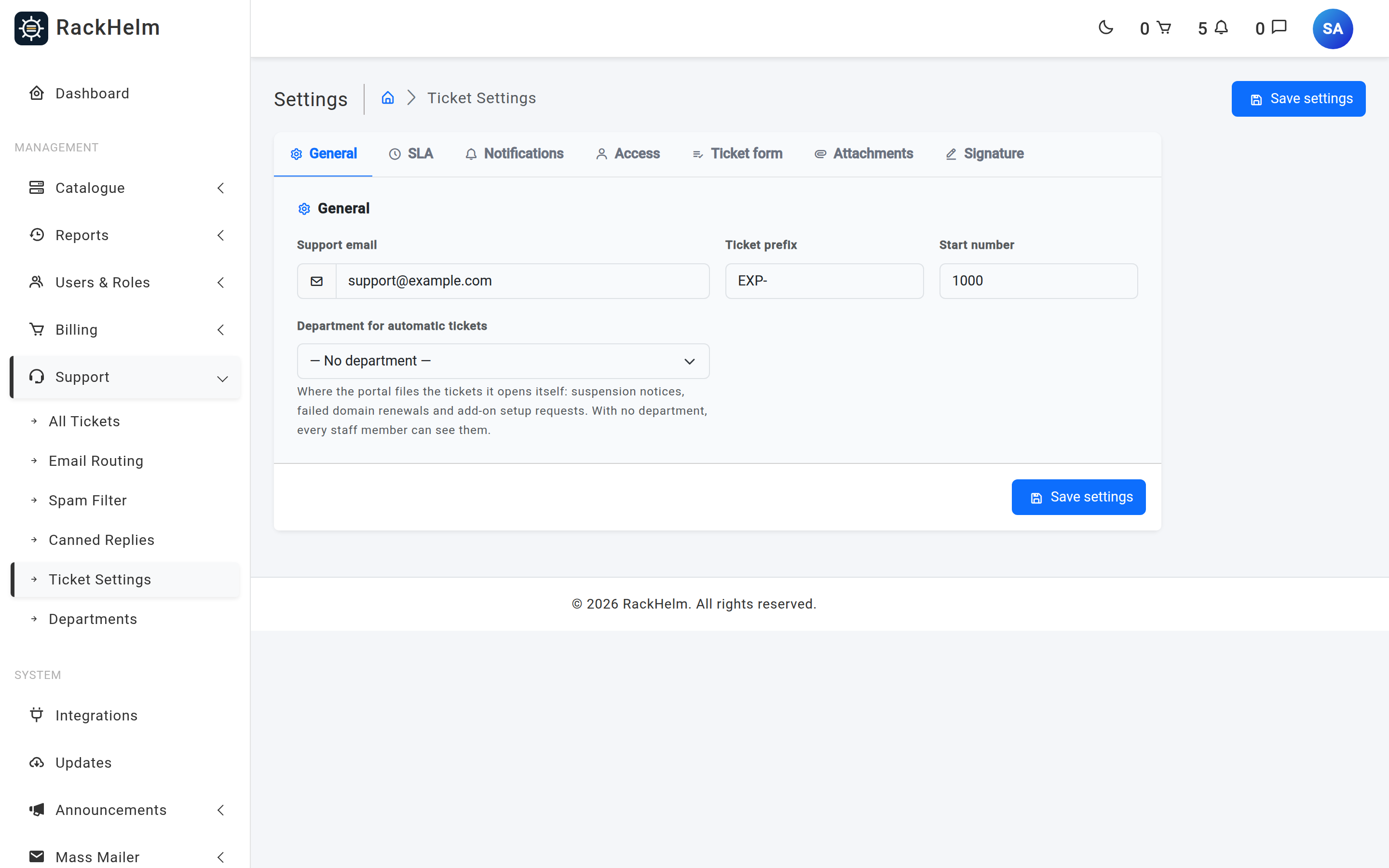
General #
| Field | What it does |
|---|---|
| Support email | Required, and must be a valid email address. Seeded as support@example.com. It is stored and published as an application-wide value; in the current build nothing sends from it automatically — outbound ticket mail uses your configured mail sender, and inbound mail uses the mailbox on each email route. |
| Ticket prefix | Optional, at most 10 characters. Prepended to the ticket number everywhere it is displayed, including email subjects. Seeded as EXP-. |
| Start number | Required whole number, zero or greater. The number given to the very first ticket. Seeded as 1000. Once tickets exist, numbering follows the highest existing number and this field no longer has any effect. |
| Department for automatic tickets | Which department the portal files the tickets it opens itself into: suspension notices, failed domain renewals and add-on setup requests. The default is — No department —. Not seeded, so it is unset until you pick one. |
Warning: Set the prefix before you take your first ticket and then leave it alone. Inbound email is threaded back onto a ticket by finding
#plus the prefix plus the number in the subject, so changing the prefix breaks threading for every reply to an older notification email.
Where automatic tickets go #
Three things in the portal open a ticket without anyone asking them to: the overdue-suspension job, a domain renewal that the registrar refused, and an order containing add-ons that need setting up by hand. Before this field existed they all wrote a hardcoded department id of 1. Department keys are UUIDs and tickets.department_id carries no foreign key, so the insert succeeded against a department that did not exist and the ticket landed in a department nobody was a member of.
Leaving the field on — No department — is a deliberate, safe choice rather than a broken one: a ticket with no department is visible to every staff member, so nothing disappears. Choosing a department narrows it to that department’s handlers, which is what you want once one team owns billing suspensions.
Note: If the department you chose is later deleted, RackHelm does not write a dangling id — it logs “The department chosen for automatic tickets (…) no longer exists; filing the ticket with no department.” and files the ticket with no department instead. There is no guess-by-name fallback.
SLA #
| Field | What it does |
|---|---|
| Response time goal | Optional whole number of hours, zero or greater. Sets the target for the first staff reply on a ticket. Not seeded, so the goal is off until you set it. |
With a goal set, each ticket shows a chip comparing the time it was opened against the first staff message on it — see Working a ticket. Leave it blank or set it to 0 and the chip disappears entirely.
Note: The goal is a display measure only. RackHelm does not escalate, reassign or notify anybody when a ticket breaches it. It also measures the first message carrying a staff author, so an Automated notice posted by the platform does not stop the clock.
Notifications #
| Field | What it does | Default |
|---|---|---|
| Auto-assign on reply | When an agent replies to a ticket that has no assignee, that agent becomes the assignee. | On |
| Notify assignee | Emails a staff member when a ticket is assigned to them. Assigning a ticket to yourself never sends an email, whatever this is set to. | On |
| BCC notifications to | Optional. A comma-separated list of addresses blind-copied on ticket notification emails — new ticket, reply, closed and auto-close notices. Every address in the list is validated individually. | Empty |
Note: Even with Auto-assign on reply switched off, closing a ticket that has no assignee still assigns it to whoever closed it, so a finished ticket always has an owner.
Tip: The BCC list is the working way to keep a shared mailbox copied on ticket traffic. The CC a copy to field on an email route looks like it does the same job, but the copies are not sent in the current build.
Access #
| Field | What it does | Default |
|---|---|---|
| Allow guest tickets | Publishes the public contact form at /contact. With it off, that URL returns a 404 and submissions are rejected. |
Off |
See Guest tickets and the contact form for what the flow looks like once it is on.
Ticket form #
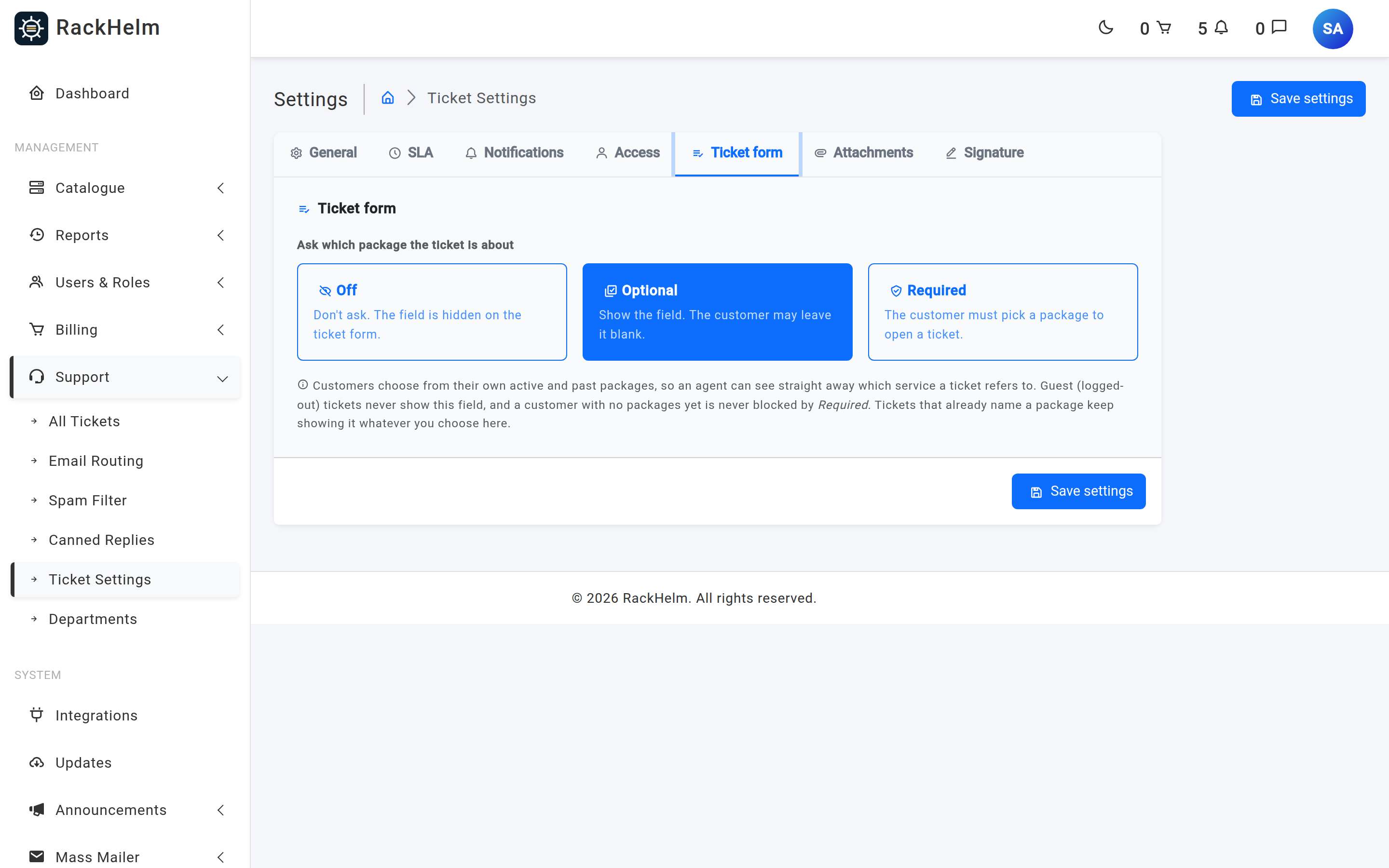
This tab holds one control, Ask which package the ticket is about. It decides whether the customer ticket form carries a Related package dropdown, and is stored as the ticket_package_mode setting.
| Mode | What it does |
|---|---|
| Off | “Don’t ask. The field is hidden on the ticket form.” Nothing is stored, and a posted order_item_id is dropped rather than validated. |
| Optional | “Show the field. The customer may leave it blank.” The default when no value has ever been saved. |
| Required | “The customer must pick a package to open a ticket.” |
Three behaviours are worth knowing before you choose Required:
- The list is the account owner’s packages, so a sub-account raises the ticket against the packages it can already see. Cancelled and terminated items stay in the list on purpose — “please explain this final invoice” is a ticket about a package that has gone.
- A customer with no packages at all is never blocked. The rule relaxes to optional in that case and the form says “You have no packages on this account yet — go ahead and send your ticket in.”
- Guest (logged-out) tickets never show the field, and tickets that arrive through an email route never carry a package. Tickets that already name one keep showing it whatever you choose here.
Once the picker is on, the chosen package appears as a chip in the ticket header and as a Related package dropdown in the ticket’s properties panel, where staff can correct or clear it. See Working a ticket.
Attachments #
| Field | What it does | Default |
|---|---|---|
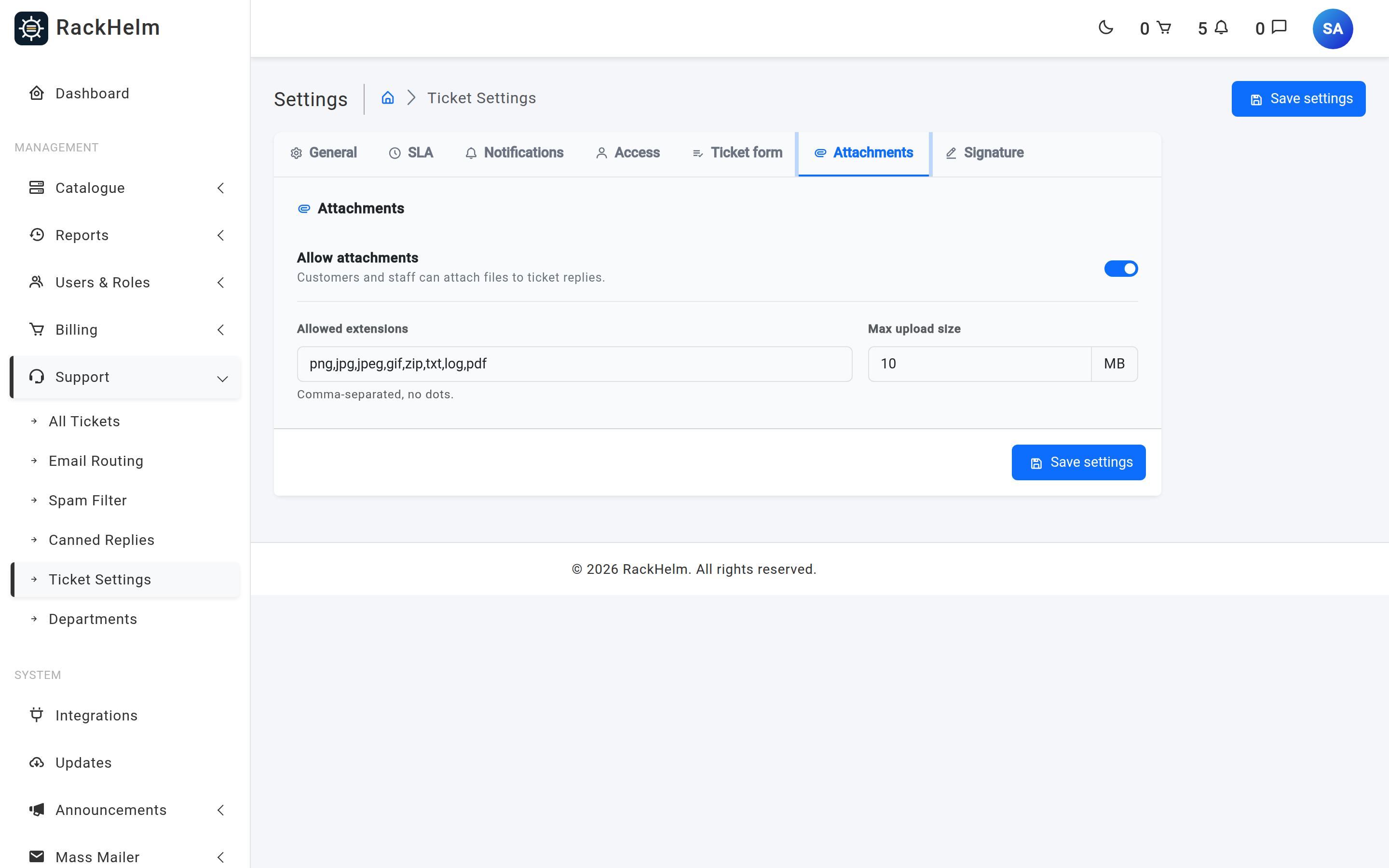
| Allow attachments | Master switch for files on tickets — portal, contact form, staff replies and inbound email alike. | On |
| Allowed extensions | Required. Comma-separated, no dots, e.g. png,jpg,pdf,zip. |
png,jpg,jpeg,gif,zip,txt,log,pdf |
| Max upload size | Required whole number of megabytes, at least 1. Applied per file, not per message. | 10 |
Both fields remain required even when the switch is off, which is why they are made read-only rather than disabled — a disabled input submits nothing and the save would fail validation. Full detail is in Ticket attachments.
Signature #
The signature is appended to every staff reply, both from the admin ticket screen and from a staff reply posted through the client portal. It is a rich-text field, sanitised with HTML Purifier when you save.
Three merge variables are available as clickable chips above the editor, and are replaced when the reply is sent:
| Variable | Replaced with |
|---|---|
{Staff member name} |
The name of the agent sending the reply. |
{Staff member role} |
The agent’s role, falling back to “Support Staff”. |
{Company name} |
Your company name. |
These are case-sensitive and spelled exactly as shown — they are a different set from the {name}-style placeholders used by canned replies.
Warning: Keep the signature short and structural. It is appended to the stored message body of every reply and is also rendered into notification emails, so a large block of pasted HTML from an email designer bloats every ticket in the system and will largely be stripped by the sanitiser anyway.
Note: A customer’s own reply never receives the signature, and neither does an Automated notice the platform posts. It marks a message as coming from your support team, so it is only ever added to staff-authored replies.
Settings that are not on this screen #
Three ticket-related controls live elsewhere:
- Auto-closing inactive tickets — the Auto Close Tickets job under Schedules in the admin sidebar (
/admin/system-schedules). The closing message it posts appears as an Automated notice. - The captcha on ticket forms — Security → Captcha Protection (
/admin/settings/captcha), where a provider and the ticket form must both be enabled. Seeded off. - Inbound sender authentication — the
inbound_mail_trusted_authserv_idandinbound_mail_require_authenticationsettings, described in Email routing and IMAP piping. Requiring authentication now defaults to on, so read that article before you turn an email route on.
Troubleshooting #
| Symptom | Cause and fix |
|---|---|
| Changing Start number does nothing | It only applies to the very first ticket. Afterwards numbering follows the highest existing number. |
| “The ticket bcc email must be a single email or a comma-separated list of valid emails.” | One entry in the list is malformed — usually a trailing comma or a stray space inside an address. |
| The contact form 404s | Allow guest tickets is off. |
| No SLA chip on any ticket | Response time goal is blank or zero. |
| The package dropdown is missing from the customer ticket form | The mode is Off, the column is missing, or the ticket is being raised from the guest contact form, which never shows it. |
| Suspension and failed-renewal tickets appear in everybody’s queue | Department for automatic tickets is on — No department —. A ticket with no department is visible to all staff by design. Pick a department to narrow it. |
| The signature is missing from replies | It is empty, or the message was posted by a customer or by the platform rather than by a staff member. |
| Signature formatting collapsed after saving | HTML Purifier removed markup it does not allow. Rebuild it with the editor’s own tools. |
| Saving fails with no obvious field | Check every tab — the error summary lists all of them, and RackHelm switches you to the first tab containing an invalid field. |


