Suspension withholds a service; termination destroys it. RackHelm keeps both as two separate things: a local status on the package, and a remote call to the control panel or registrar. Knowing which of the two a given button performs is the difference between a customer who is merely locked out and one whose server no longer exists. This article is for operators and staff.
Before you start #
Note: These actions are gated separately from ordinary order editing. Suspending needs
suspend_services; bringing a service back needsunsuspend_services; cancelling or terminating needscancel_orders; deleting a package needsdelete_orders, pluscancel_ordersif you also tick the remote teardown.edit_ordersalone is not enough for any of them.
Local status versus the remote service #
This is the single most important distinction on this page.
| Action | Changes the local record | Calls the remote system |
|---|---|---|
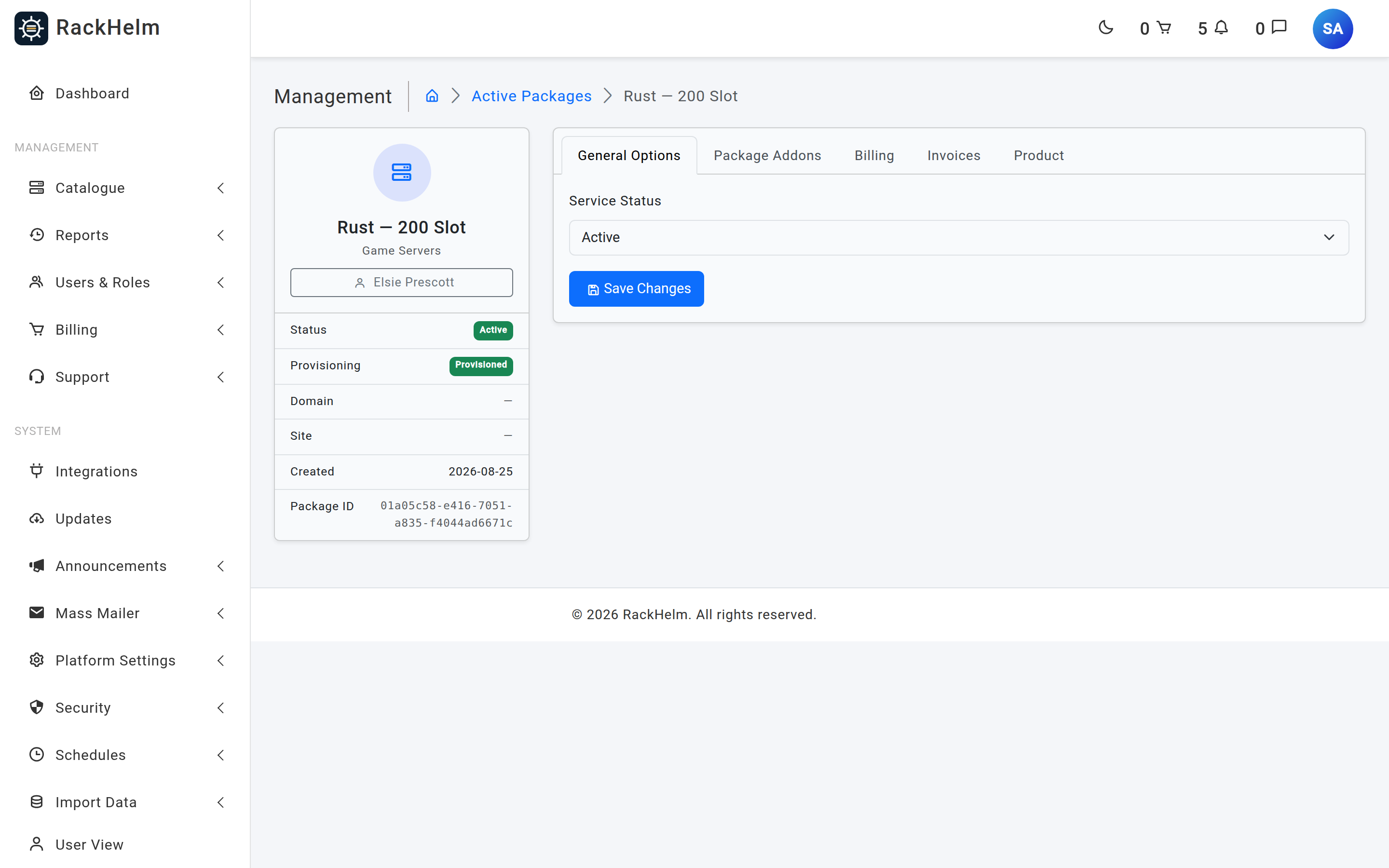
| Package screen → Service Status → Suspended | Yes | No |
| Package screen → Service Status → Active | Yes | No |
| Package screen → Service Status → Cancelled | Yes | No |
| Automatic overdue suspension | Yes | Yes |
| Automatic reactivation when an invoice is paid | Yes | Yes |
| Addon Terminate button | Yes | Yes |
| Delete package with Also terminate the live remote service ticked | Yes | Yes |
| Automatic overdue termination | Yes | Yes |
| Cancellation reaching its expiry date | Yes | Yes |
Warning: Setting Service Status to Suspended on the package screen does not switch anything off. The customer’s account shows as suspended and stops being billed, but the website, server or mailbox keeps running. RackHelm has no admin button that suspends a live service on demand — remote suspension is driven only by the overdue-payment sweep.
Automatic suspension for non-payment #
The Suspend Overdue Services schedule does the work. On each run it:
- Finds every invoice still at
pendingorunpaidwhose due date is on or before today minus the configured number of days. Both statuses count — a declined card leaves an invoice atpending, so filtering onunpaidalone would never suspend a card customer. - Resolves which orders that invoice covers, following both the direct link and the invoice’s own line entries, so merged invoices are handled.
- For every item on those orders that is still
activeand not already suspended: sets the package status tosuspendedand queues a suspend job against the integration. - Opens a support ticket telling the customer what has happened and that services reactivate automatically once paid.
The day offset comes from the Days Offsets field on that schedule and defaults to 3. Only the first value in the field is used, and anything that resolves to zero or less falls back to 3.
What the suspend job does #
- Loads the item and its product’s active integration. If either is missing it logs a warning and stops — no status change at all.
- Calls the driver’s suspend operation.
- On success, writes
provisioning_status = suspended. - On failure, writes
provisioning_status = failedand stores the reason inprovisioning_error, so it surfaces on the package screen and in the Pending Provisioning queue.
Bringing a service back #
Reactivation is automatic and happens the moment an invoice is settled — by the customer, by the automatic payment run, or by an operator marking it paid. RackHelm then, for each order the invoice covered:
- Checks whether that order still has any other overdue unpaid invoice. If it does, the services stay suspended and a line is written to the log — paying one invoice does not clear a customer who is still behind on an earlier one.
- Otherwise sets every suspended item back to
activelocally first, so the account reads correctly even if the panel call fails. - Queues an unsuspend job, which calls the driver and writes
provisioning_status = provisionedon success, orfailedwith the reason on error.
To bring a service back by hand without a payment, set Service Status to Active on the package. Remember that this is local only — if the panel really did suspend the account, you will need to lift it there as well.
Terminating a service #
Termination destroys the remote object. There are four routes to it:
Terminating a single addon #
On the package’s Package Addons tab, each active addon carries Terminate (and, while it is active, Cancel, which only marks it pending cancellation). Terminate marks the addon cancelling and dispatches the teardown immediately.
Unticking an addon and pressing Save Configuration does the same thing, which is why that save requires cancel_orders.
Deleting a package #
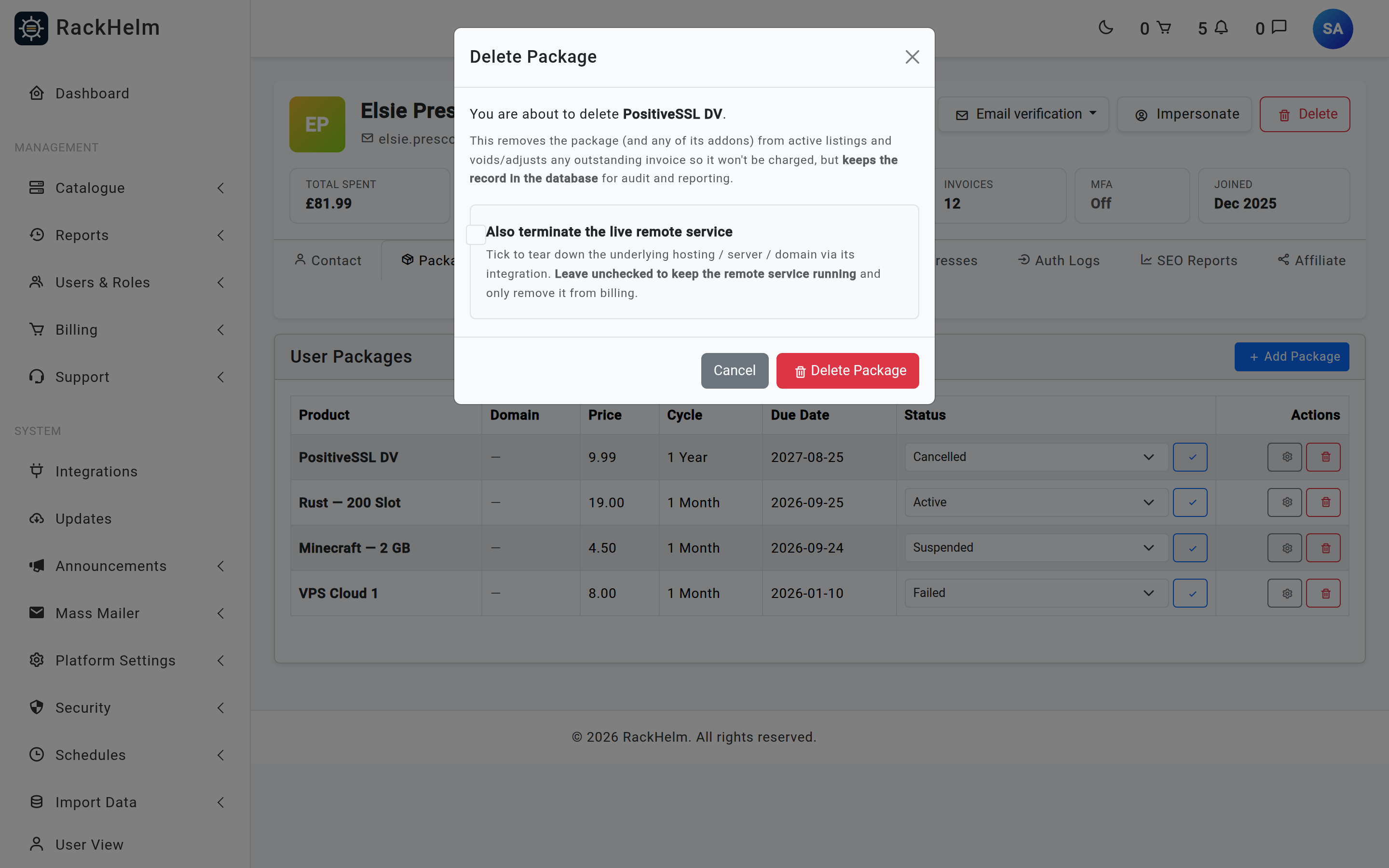
From All Users → the client → Packages, the bin icon opens a confirmation offering Also terminate the live remote service. With the box left clear, deletion:
- Soft-deletes the package and its addons, retaining the record for audit.
- Strips their lines from every outstanding invoice, reducing the invoice by exactly what those lines were worth, and voids any invoice left with nothing to bill.
- Soft-deletes the order once it has no items left, voiding any of its remaining outstanding invoices first.
- Leaves the remote service running.
Tick the box and the same happens, plus a teardown job per item — dispatched only after the database work has committed, so a rolled-back delete can never destroy a live service.
Automatic termination for long non-payment #
The Terminate Overdue Services schedule sweeps invoices at pending or unpaid whose due date is on or before today minus its day offset — default 7. For each order it covers, every item not already cancelled or cancelling is marked cancelling and queued for teardown, and the invoice is then voided so the customer cannot pay for a service that has been deleted.
Warning: Saving the Terminate Overdue Services schedule from the admin form always writes its Days Offsets as a list, even when you leave the field blank — and that particular job expects a single number, so it fails with a type error on its next run. If you edit that schedule, check the Queue Monitor’s failed jobs afterwards. The suspension job tolerates the list and takes its first value.
Cancellation reaching its date #
A package left at pending_cancellation is torn down by the Process Cancellations schedule once its expires_at has passed. See Order cancellations.
What the terminate job does #
- Loads the item, including soft-deleted ones, so a just-deleted package can still be torn down.
- Frees any AI SEO domain slot held by the package and deletes its local scans.
- If the item is an addon, it is cancelled locally, the parent order’s status is re-synced, and the parent’s resources are recalculated so the panel gets the reduced grant. Nothing is destroyed remotely — the job looks for the integration on the item’s product, and an addon line carries no product, so this branch is taken for every addon.
- Otherwise it calls the driver’s terminate operation. On success it writes
provisioning_status = terminatedand package statuscancelled, and re-syncs the order’s status. - On failure it writes
provisioning_status = failedwith the reason, and the job itself fails so it appears in the Queue Monitor.
Note: If the product has no active integration, the job logs a warning and stops without changing anything — the item stays at
cancelling. That is the usual cause of a package stuck in that state.
Troubleshooting #
| Symptom | Cause and fix |
|---|---|
| “You do not have permission to change a service to this state.” | Your role holds edit_orders but not the specific permission the transition needs — suspend_services, unsuspend_services or cancel_orders. |
A package is stuck at cancelling |
The teardown job did not complete. Either no active integration is bound to the product (nothing happens, silently), or the driver call failed — check the Queue Monitor’s failed jobs for the item ID. |
| You suspended a package but the site is still up | The dropdown is local only. Suspend the account on the panel yourself, or let the overdue sweep handle it. |
| A paid customer is still suspended | They have another overdue invoice on that order. Settle or void it, then set the package back to Active. |
Reactivation left the package at failed |
The local status was set back to active first and then the panel call failed. The reason is on the package’s General Options tab; fix it and set the status to Active again. |
| A deleted package’s service is still running | Deletion leaves the remote service alone unless Also terminate the live remote service was ticked. Tear it down on the panel by hand. |
| You cannot find a “terminate” button for a whole package | There is not one. Terminating a whole package is done through the delete confirmation with the teardown box ticked; the standalone terminate action is offered for addons. |
| A lower-ranked staff member cannot delete a package | Deletion enforces a rank check on the owning account: you cannot act on a Super Admin’s records, or on an account whose highest role outranks your own. |


