A cancellation in RackHelm is a scheduled event, not an immediate one: the service keeps running until the end of the period the customer has already paid for, and only then is it torn down. This article explains both the customer-initiated flow and the operator equivalent, and what each does to the outstanding invoices. It is for operators and staff.
The two kinds of cancellation #
| Kind | Started by | Effect |
|---|---|---|
| Cancellation request | The customer, or an operator on the package screen | Package moves to pending_cancellation and runs until its expiry date. Teardown happens later, automatically. |
| Termination | An operator | Immediate teardown. Covered in Suspending, unsuspending and terminating a service. |
How a customer requests a cancellation #
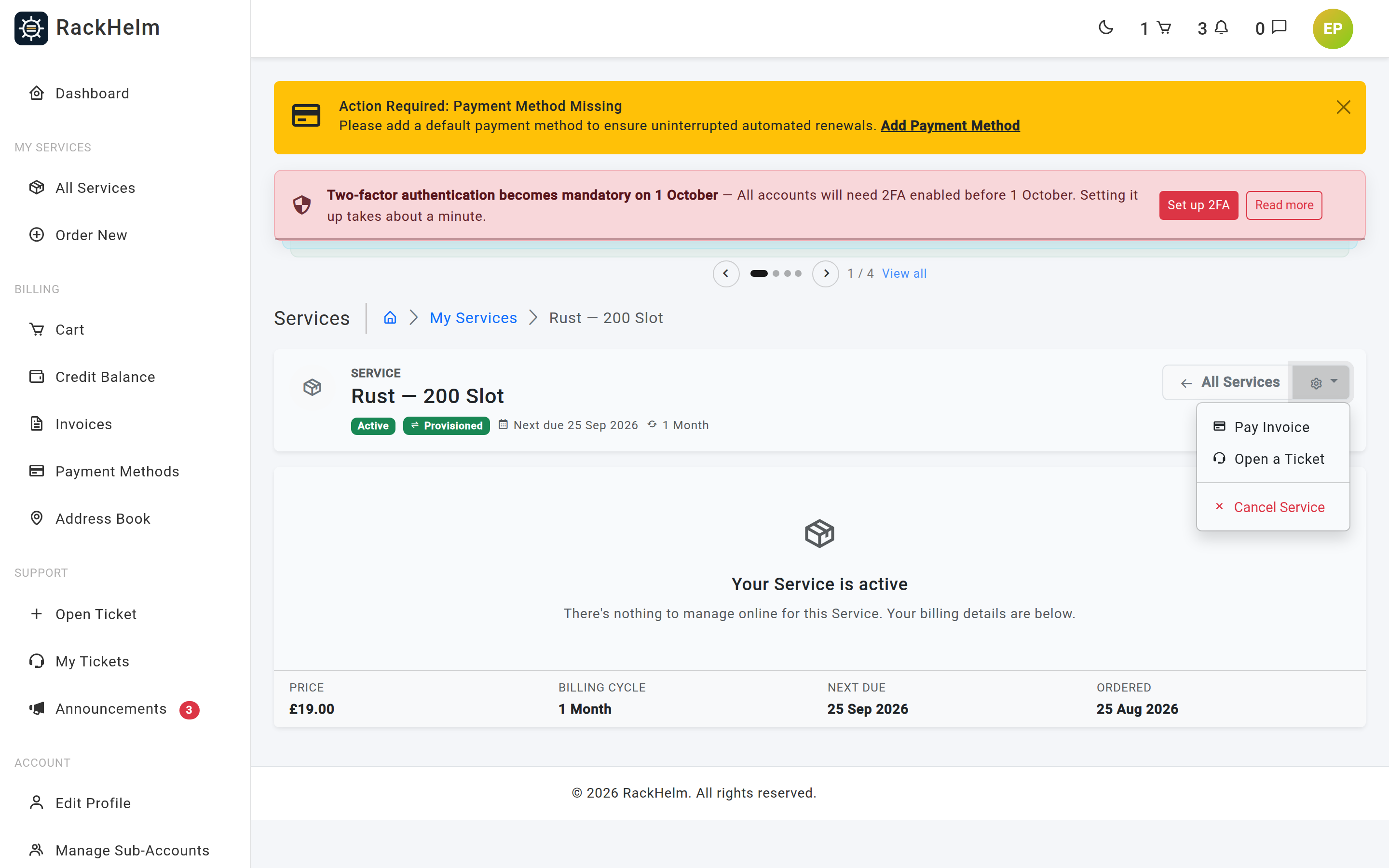
Customers can cancel from the package dropdown on their dashboard, from the cog menu on a service page, or from the header of a server, website or domain console. Every one of those buttons posts to the same route, but each screen decides for itself when to show it: the service page hides it once the package is cancelled, cancelling, pending_cancellation or terminated; the dashboard hides it at cancelled and pending_cancellation; the server and domain consoles only offer it while the package is active.
The action is protected by password confirmation — the customer must re-enter their password before RackHelm accepts it — and RackHelm checks the package genuinely belongs to their account before doing anything. A reason may be supplied and is limited to 500 characters; when none is given, the request is recorded as User requested cancellation via dashboard.
On success they are told: Cancellation requested. Service will stop at the end of the billing period.
What happens the moment a cancellation is requested #
- The package moves to
pending_cancellation, with the request time stamped andexpires_atset to the order’s current due date — that is the date the service actually stops. - Every active child addon is cancelled alongside it, with the reason Parent item cancelled: ….
- Outstanding invoices are reconciled (see below).
- The order’s own status is re-synced: it becomes
pending_cancellationonly if every item on it is now pending cancellation. - A
cancellation_requestedevent is sent to any Custom API integration serving the package, and separately for each cascaded addon, since an addon can have an integration of its own.
How invoices are reconciled #
This is the part that is easy to get wrong by hand, so RackHelm is deliberate about it. Only pending invoices are touched, and they are found through their line entries rather than through the order link — that is what makes merged invoices work.
- An invoice due before the term end is left alone. It funded the period the customer is still being served, so writing it off would give away a term they have consumed.
- An invoice with nothing left to bill is voided. If every line on it belongs to the cancelled package or its addons, it is set to
void. Late-fee lines, which carry no package, do not count as survivors — a late fee on an invoice whose real lines are all cancelled has nothing left to be late for. - A mixed invoice is reduced. Only the cancelled package’s lines are removed, and the invoice’s subtotal and amount are each decreased by exactly what those lines were worth, so any account credit already applied is preserved. The stored PDF is then regenerated so the document matches what is charged.
Note: The boundary is strict. A renewal invoice due on exactly the expiry date funds the term after the cancellation, so it is voided or reduced rather than kept.
The service keeps running #
A package at pending_cancellation is still live. RackHelm deliberately keeps the customer’s server and website consoles reachable — they may still need to take a backup or export data before the date. A domain is the exception: its management page requires an active package, so it closes as soon as the cancellation is recorded. What they lose is the billing: the package is no longer billable, so no further renewal invoices are raised for it.
Cancelling on a customer’s behalf #
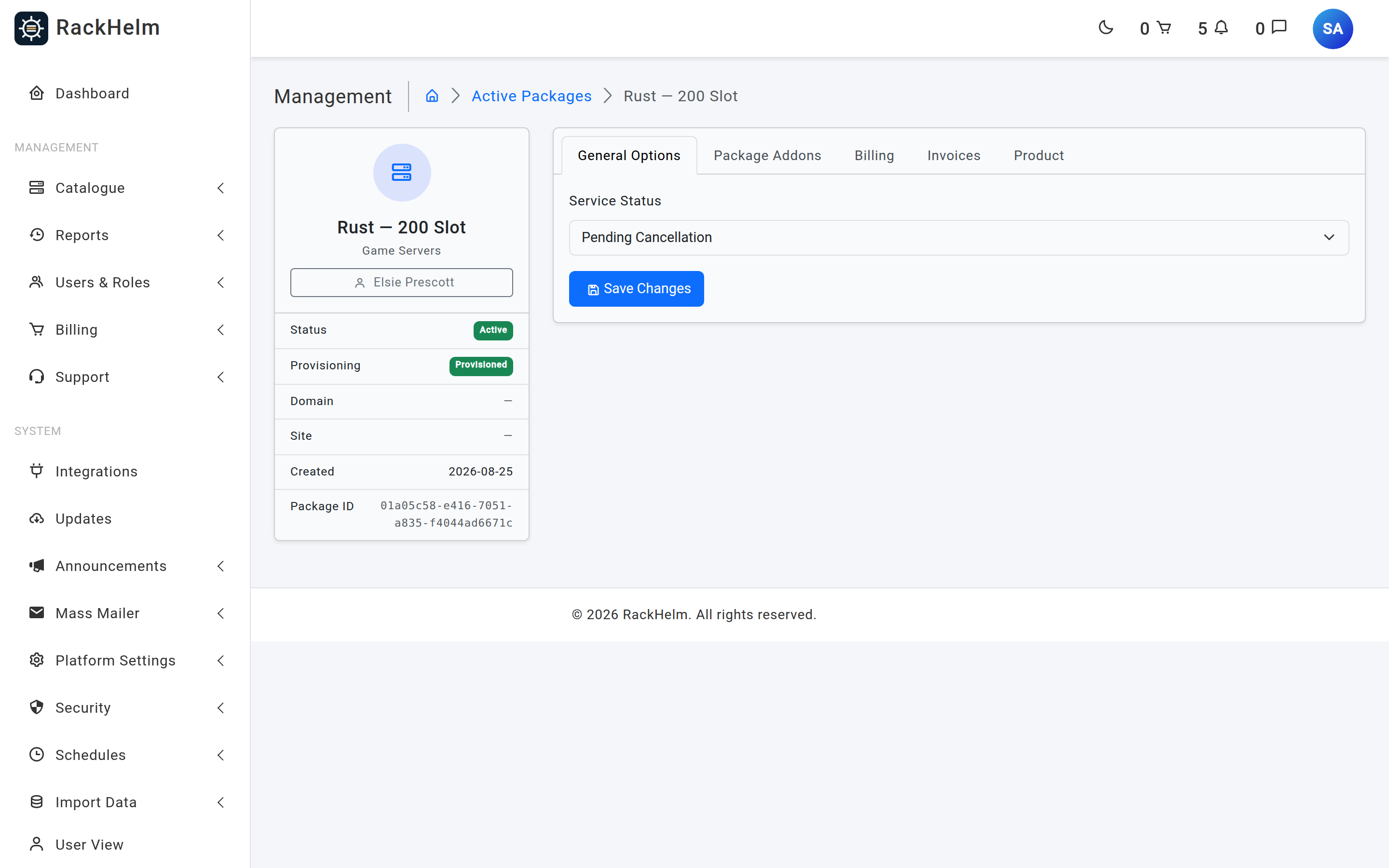
Two routes exist for staff, both requiring cancel_orders:
- Package screen → General Options → Service Status → Pending Cancellation → Save Changes. Stamps the request time, sets
expires_atto the order’s due date, and records the reason as Admin updated status. It is a no-op if the package is already pending cancellation. - Package screen → Package Addons → Cancel on an individual addon. Records the reason Manually cancelled by admin.
Warning: The admin cancel action deliberately does not cascade to child addons, and does not reconcile invoices the way the customer-facing request does. Cancel each addon explicitly if you want the whole package gone, and check the customer’s outstanding invoices yourself.
What happens on the expiry date #
The Process Cancellations schedule finds every item at pending_cancellation whose expires_at has passed and, for each one:
- Marks it
cancellingand dispatches the teardown job against its integration. - Looks at the order’s pending invoices. If no other non-cancelled root package remains on that order, they are voided outright. If other packages remain, only this package’s and its addons’ lines are removed and each invoice is reduced by exactly that amount.
Once the teardown job reports success, the package becomes cancelled with provisioning terminated, and the order’s status is re-synced — becoming cancelled when every item on it has gone.
Note: This schedule ships disabled, like the others. If it is off, packages sit at
pending_cancellationindefinitely, past their expiry date, still consuming resources on your panels. Enable it under Schedules → Process Cancellations.
Reversing a cancellation #
Set the package’s Service Status back to Active before the expiry date and it will not be picked up by the sweep. Two caveats:
- Invoices that were voided or reduced when the cancellation was requested are not restored. Raise a replacement invoice if the customer is continuing.
- Child addons that were cascaded are not reinstated automatically. Set each one back yourself.
Once a package has reached cancelling or cancelled, it is too late — the remote service has been or is being destroyed, and a new order is the only way back.
Troubleshooting #
| Symptom | Cause and fix |
|---|---|
| The customer says the Cancel option is missing | Each screen hides it at a different point — see the list above. On a server or domain console it disappears as soon as the package stops being active. Check the package’s current status, and have them try the service page. |
| The customer is asked for their password | Expected. The cancellation route requires password confirmation, as do billing-cycle changes and upgrades. |
| A cancelled package is still being invoiced | Only active items are billable, so check the package really moved to pending_cancellation. If it did, the invoice was probably raised before the cancellation and dated before the term end, in which case it is kept on purpose. |
| Packages sit past their expiry date | The Process Cancellations schedule is disabled, or the scheduler cron is not running. |
A package went to cancelling and stopped |
The teardown job failed or found no active integration. See the troubleshooting table in Suspending, unsuspending and terminating a service. |
The order is still active after cancelling a package |
The order only follows its items when all of them are pending cancellation or cancelled. Another package is still live on that order. |
| An invoice PDF still shows a cancelled line | The regeneration is queued. Check the Queue Monitor if it does not update. |


