RackHelm runs on a single Linux server that you control. This article lists what that server needs before you run the installer, so you can size and prepare the machine correctly. It is written for the operator who will own the platform, not for the customers who will use it.
Supported operating systems #
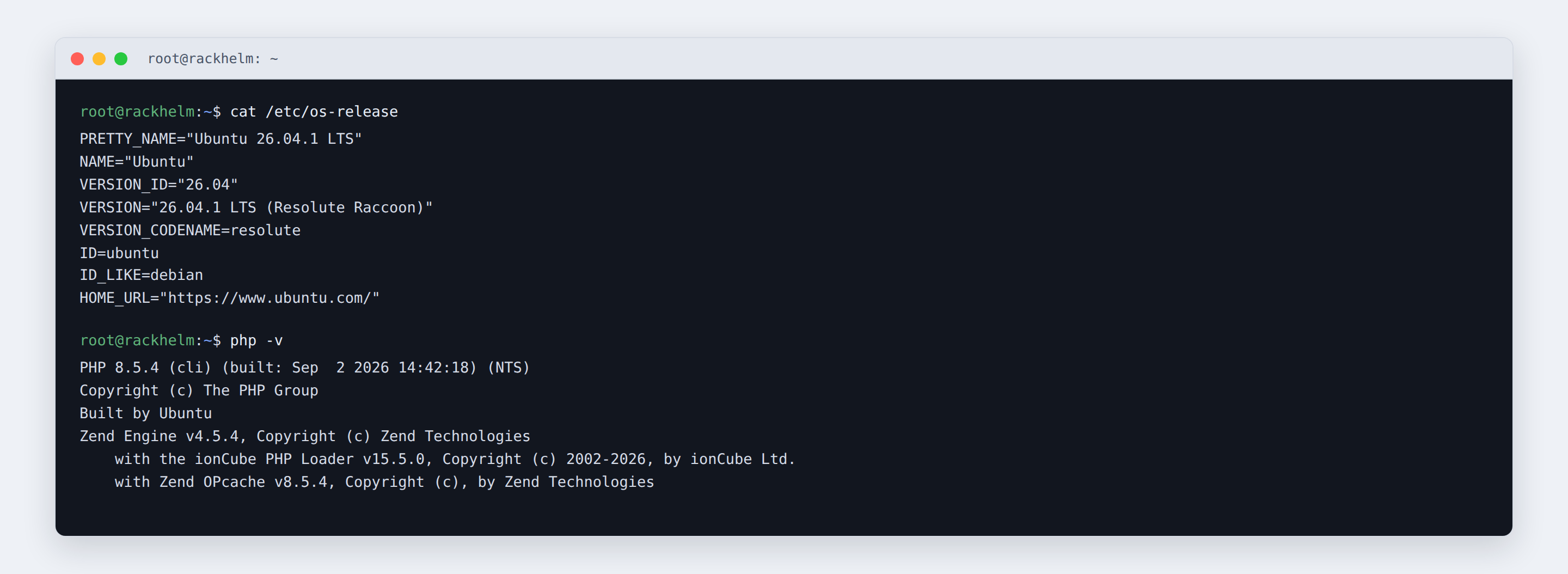
The installer reads /etc/os-release and picks one of two package families:
| Detected | Family | Package manager | Web-server user |
|---|---|---|---|
ID is ubuntu or debian |
Debian | apt-get |
www-data |
ID_LIKE contains rhel or fedora, or ID is almalinux, rocky or centos |
RHEL | dnf |
nginx |
| Anything else | Unknown | — | — |
On an unrecognised distribution the installer prints a warning naming your PRETTY_NAME and asks Do you want to continue anyway? (y/n). Answering y makes it fall back to Debian conventions, which will not work on a genuinely different system. The script header names Ubuntu 24.04 or newer as the target, and that is the best-tested path.
Note: The installer must be run as root. It exits immediately with
Please run this script as root (sudo ./install.sh)if the effective UID is not 0.
PHP #
The application declares "php": "^8.2" in composer.json, so PHP 8.2 is the floor. The automated installer does not use the distribution’s PHP: it adds a PHP repository (ppa:ondrej/php on Ubuntu, packages.sury.org on Debian, the Remi php:remi-8.5 module on RHEL) and installs PHP 8.5, recording that choice in /var/run/rackhelm_php_version.
These PHP packages are installed and are what the platform expects to find:
php-fpmandphp-cli— the web SAPI and the command line used by Artisan, Composer and the queue workermbstring,xml(provides SimpleXML),curl— the three extensionscomposer.jsonrequires outright (ext-mbstring,ext-simplexml,ext-curl)mysql/mysqlnd— database driverredis— cache, queue and session backendzip,bcmath,intl,gd— archives, money arithmetic, localisation and image handlingprocess(RHEL only) — provides thepcntlandposixfunctions Horizon uses to manage its worker processes
The licence heartbeat additionally reports which of curl, mbstring, intl, gd, imagick, zip, bcmath, redis, simplexml and sodium are loaded, because a missing one explains most “feature X does nothing” reports.
Set upload_max_filesize and post_max_size to at least the ticket attachment limit you intend to allow. RackHelm defaults that limit to 10 MB per file.
ionCube Loader #
RackHelm ships ionCube-encoded, so the ionCube Loader must be active for both PHP SAPIs — FPM to serve requests, CLI to run Composer, Artisan and the queue worker. The installer downloads the Loader from ionCube, installs the non-thread-safe build matching your PHP version (ioncube_loader_lin_8.5.so by default), and enables it with a zend_extension line in a 00-ioncube.ini file so it loads before OPcache. Only x86_64 and aarch64 architectures are supported; anything else aborts the install.
Database #
The installer writes DB_CONNECTION=mysql and configures MySQL or MariaDB:
- Local database — installs
mysql-serveron Debian/Ubuntu ormariadb-serveron RHEL, creates a database and user, and generates 32-character random passwords for both the application user and the MySQL root account. - Remote database — you supply host, port (default
3306), database name, username and password. The account needs full privileges on its own database, because RackHelm creates and alters tables during upgrades.
Redis #
Redis is not optional in an installer-built deployment. The installer sets CACHE_STORE, QUEUE_CONNECTION and SESSION_DRIVER all to redis, and Laravel Horizon — which runs every provisioning, billing and email job — only works on a Redis queue. The package is redis-server on Debian/Ubuntu and redis on RHEL, listening on the default port 6379 on localhost.
Node.js #
Node is needed only to compile the front-end assets with Vite, but the install fails without it. The installer adds a signed NodeSource repository for Node.js 22.x and then verifies that npm is genuinely on the path, installing the separate npm package if the nodejs package did not bring one. If npm is still missing it aborts with an explicit message rather than failing later during the build.
Other packages #
nginx, certbot with python3-certbot-nginx, supervisor and unzip are installed as well. Composer 2 is fetched from getcomposer.org, checked against the vendor-published SHA-384 signature, and installed to /usr/local/bin/composer.
Networking and ports #
| Direction | Port | Why |
|---|---|---|
| Inbound | 80/TCP | HTTP, and required for Let’s Encrypt HTTP validation |
| Inbound | 443/TCP | HTTPS — the portal should only ever be used over TLS |
| Outbound | 443/TCP | Licence heartbeat to license.orbi-hosting.com, package repositories, payment gateways, control-panel and registrar APIs |
| Local | 3306, 6379 | MySQL/MariaDB and Redis, when installed on the same host |
The installer opens the http and https services in firewalld, or allows the Nginx Full profile in ufw, whichever is active. Your DNS A record for the portal hostname must already point at the server before you run the installer, otherwise certificate issuance fails.
Sizing guidance #
There is no hard minimum enforced in code, but the shipped worker configuration tells you what to plan for. In the production environment Horizon is allowed up to 10 worker processes with a 128 MB memory ceiling each, plus a 64 MB master process. Add PHP-FPM, MySQL and Redis on the same box and 4 GB of RAM is a realistic starting point; 2 GB will run but leaves no headroom for a busy queue. For disk, budget for the operating system and PHP packages, the application tree with its vendor/ and node_modules/ directories, the database, and — the part that grows — storage/app, which holds generated invoice PDFs and ticket attachments. 40 GB is a comfortable floor for a new install.
File ownership model #
RackHelm deliberately does not let the PHP runtime user write to its own source. After installation the whole tree is owned root:<web user> and mode u=rwX,g=rX,o=, with only storage and bootstrap/cache owned by the web user. .env is root:<web user> with mode 640. Keep that model if you install manually — see Manual installation.
Troubleshooting #
| Symptom | Cause and fix |
|---|---|
Please run this script as root |
Run the installer with sudo. |
Warning: This script is designed for Debian/Ubuntu and RHEL-based distributions |
Your distribution was not recognised. Answering y forces Debian conventions — only sensible on a Debian derivative that reports an unusual ID. |
Unsupported architecture … for the ionCube Loader |
The server is neither x86-64 nor ARM64. RackHelm cannot run there. |
ionCube did not ship ioncube_loader_lin_8.5.so |
ionCube has no Loader for that PHP version yet. Re-run with RACKHELM_IONCUBE_PHP=8.4 sudo -E ./install.sh against a PHP version ionCube supports. |
npm is not available after installing Node.js |
The Node packaging on your distribution did not provide npm. Install a Node.js 22.x distribution that includes it and re-run. |


