RackHelm reuses a few ordinary English words for very specific things, and in two cases the same underlying record has different names on the staff side and the customer side. This article pins the vocabulary down. Read it once and the rest of the documentation stops being ambiguous.
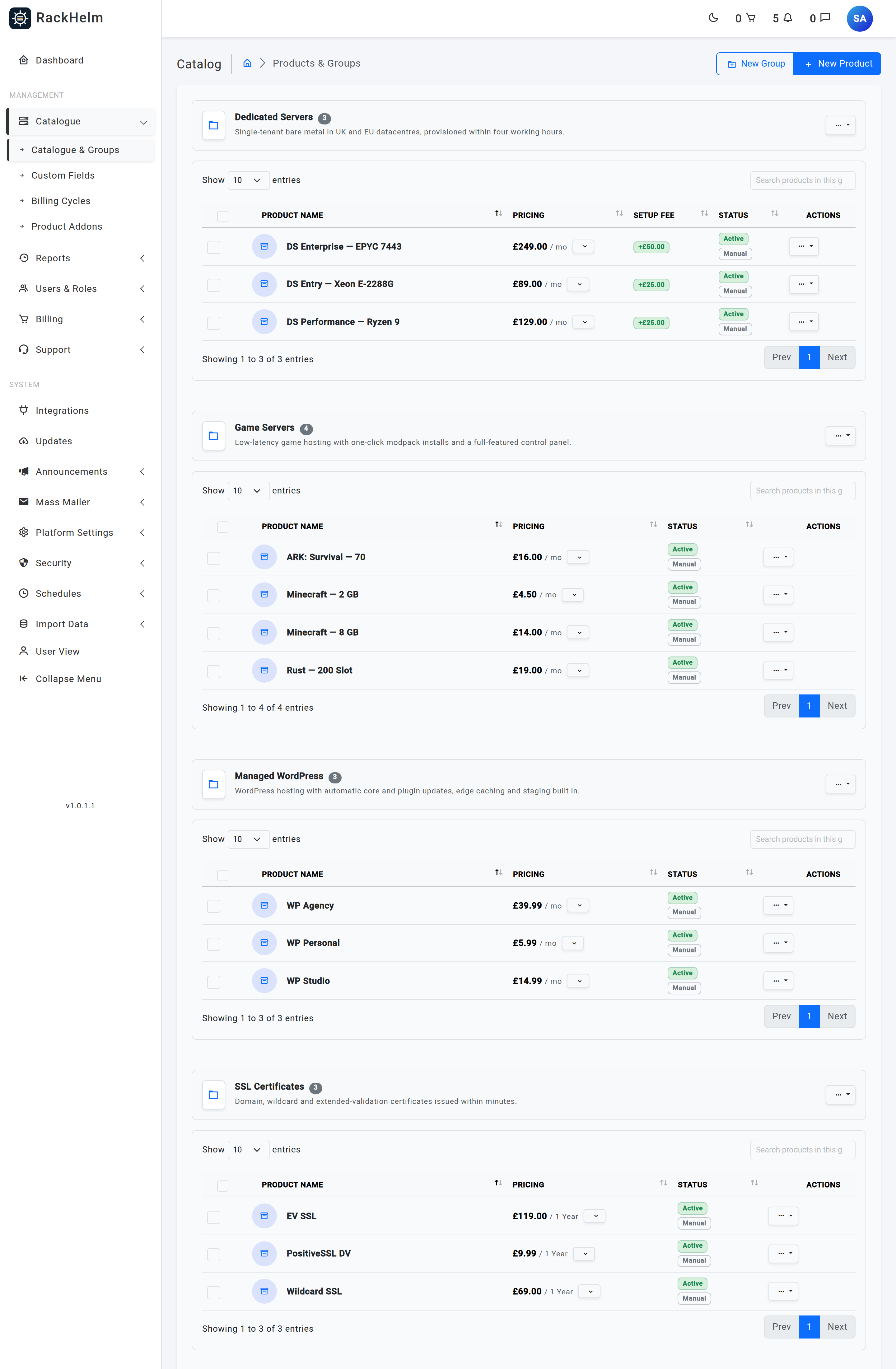
A folder of products, and the thing the store lists first. It carries its own SEO fields, a store visibility flag, a sort order, and a show cycle savings option. Custom fields and addons assigned to a group are inherited by every product in it.
Product
One sellable item. Holds the name, description, base price, setup price, stock, active flag, store visibility, highlight flag, quote-only flag and SEO fields. A product belongs to exactly one group.
Billing cycle
A named recurring period, defined once and reused across the whole catalogue. The two required fields are Months (a whole number, 1 or more, and unique across all cycles) and Label (what the customer sees, for example “Annually”); a sort order and an active flag are optional.
Billing cycle price
The price of one product on one billing cycle. A product with no price row for a cycle is not offered on that cycle.
Product addon
An optional extra sold alongside a product — extra storage, a dedicated IP, a managed-support tier. An addon has options (the choices the customer picks from) and each option carries its own price per billing cycle.
Custom field
An input you collect from the customer at order time — a hostname, a licence e-mail, a preferred username. Defined once under Catalogue → Custom Fields with a Display Name, a unique System Key and a Field Type (Text Input, Dropdown (Select), Toggle (Checkbox), Text Area, Password or Date Picker), then assigned to products or groups.
Product variable
A configurable value passed to the integration rather than merely recorded — memory, CPU limit, disk, node. Each assignment controls whether it shows on the order page, whether it shows in the admin panel, and whether the customer may change it later. Addon variables are merged into the parent item’s payload when it is provisioned.
Coupon
A discount code with an optional usage limit. The limit is enforced at checkout with a database-level guard, so two customers cannot both take the last use.
Groups first, products inside them — the same hierarchy the store presents to customers.
The container for one purchase. Holds the customer, the billing address as it was at the time, the coupon and discount, the billing cycle, the next due date and the order number.
Order item
One line of an order, and the record that actually represents the thing the customer owns and renews. Carries the product, quantity, unit price, setup fee, billing cycle, the values captured for its custom fields and variables, its provisioning state and its expiry date.
Package
The staff-side name for an order item. Users & Roles → Active Packages lists them.
Service
The customer-side name for the same order item. All Services in the client portal lists them.
Addon item
An order item with a parent. It bills on its own line but belongs to the master item, and it is provisioned as part of that item’s payload rather than separately.
Note: Order item, package and service are three names for one record. If a screen shows you a “package” and another shows the same thing as a “service”, nothing has been duplicated.
provisioning_status is the single field that tells you where an item is in the automation pipeline.
Value
Meaning
pending
Waiting to be picked up. This is the normal state at the moment of order.
queued
Claimed by the scanner and handed to the queue.
processing
The provisioning job is running against the remote system.
provisioned
Done. The remote account exists.
failed
The attempt failed. An operator-only error message is recorded; the customer never sees it.
awaiting_configuration
SSL certificates only — waiting for the customer to supply a CSR through the configure wizard.
manual
An addon flagged for manual provisioning. Staff complete it by hand.
active
An addon that needs no provisioning at all — a billing-only extra.
suspended
The remote account has been suspended, by the overdue-suspension schedule or by hand.
terminated
The remote account has been deleted at the end of the lifecycle.
pending, queued and processing are collectively the “in flight” states. While an item is in one of them, the customer sees a setting-up message instead of a console.
A demand for payment. Holds the customer, the order, a unique number, the subtotal, the discount, the amount actually due, the due date, the status, the billing address snapshot and the path to its generated PDF.
Invoice entry
One line on an invoice — type product, addon or custom. It stores a snapshot of the description, quantity, unit price, setup fee and total, plus an optional link back to the order item it came from. Because it is a snapshot, changing a product’s price later never rewrites an invoice already issued.
Credit balance
Money the customer holds on account. It can be applied at checkout or against an individual invoice, and topped up if credit deposits are enabled.
Payment gateway
A configured payment provider. RackHelm supports four drivers — Stripe, PayPal, Square and Bank Transfer — and each one may be configured once, in either sandbox or live mode.
Payment method
A stored card or account belonging to a customer, used by automatic renewal billing.
Three different things are all loosely called “integration”. Keeping them apart saves a lot of confusion.
Term
What it means
Integration panel (also “server integration”)
One set of credentials for one remote system — the base URL and API tokens for your cPanel server, your Pterodactyl panel, your eNom reseller account. Configured under Integrations. Credentials are encrypted at rest and are excluded from the audit log.
Product integration
The binding between a product (or an addon) and a panel: the type, which panel to use, whether it is active, and the per-product configuration such as the package name or the server template. Set on the product’s Provisioning tab. A product with no active product integration will never be provisioned.
Integration account
The link between one of your customers and their identity on a remote panel — the remote customer ID and any per-customer configuration. Created automatically the first time that customer is provisioned on that panel, and reused afterwards so a second purchase lands under the same remote account.
Custom API
An operator-defined outbound integration: you supply the base URL, credentials, endpoint templates and a response map, and RackHelm treats it as a provisioning driver like any other. Requests are signed with X-RackHelm-* headers and every attempt is recorded as a delivery.
Service attribute
A value captured from a provisioning response — a licence key, a panel URL, a usage counter. Stored in its own table, with secret values encrypted and revealed only on demand, and rendered on the customer’s service page.
A named bundle of permissions. Five are built in: Super Admin, Administrator, Billing Manager, Support Agent and Client. A role also carries a Staff role switch, and one role is flagged as the default for new customers.
Permission
A single granular capability such as view_invoices, manage_coupons or edit_integrations. Super Admin bypasses every permission check by design.
Staff
Any user holding at least one role with the Staff role switch on. Staff status — not any individual permission — is what gets you past the door at /admin.
Sub-account
An additional login a customer creates for a colleague, under their own account. Sub-accounts see the account owner’s services rather than their own.
Impersonation
Staff signing in as a customer to reproduce a problem. Gated on the login_as_client permission, which is withheld from Administrator by default.
An editable content page, and the group that owns its URL prefix. The prefix is a setting, not a fixed path — /legal/, /terms/ and /company/ are all just group slugs. Always link to a page through its own link helper rather than typing the URL, so a prefix change does not break your menus.
Navigation location
One of the five menus you can build, named on the Navigation screen as Guest Header, Logged-in Header, Account Dropdown, Customer Sidebar and Site Footer. Each has a built-in default that renders unless you have saved a menu for that location.
System schedule
One recurring background job, with its own enabled switch, cron expression, timezone, optional summary e-mail address and job-specific options. These are the rows listed under Schedules.
Queue
The backlog of background work. Everything slow or external — provisioning, charges, PDF generation, outbound e-mail, campaign sends — runs here rather than during a page request.